What Should Happen After Someone Contacts You Through Your Website? A Small-Business Follow-Up Workflow That Wins More Customers
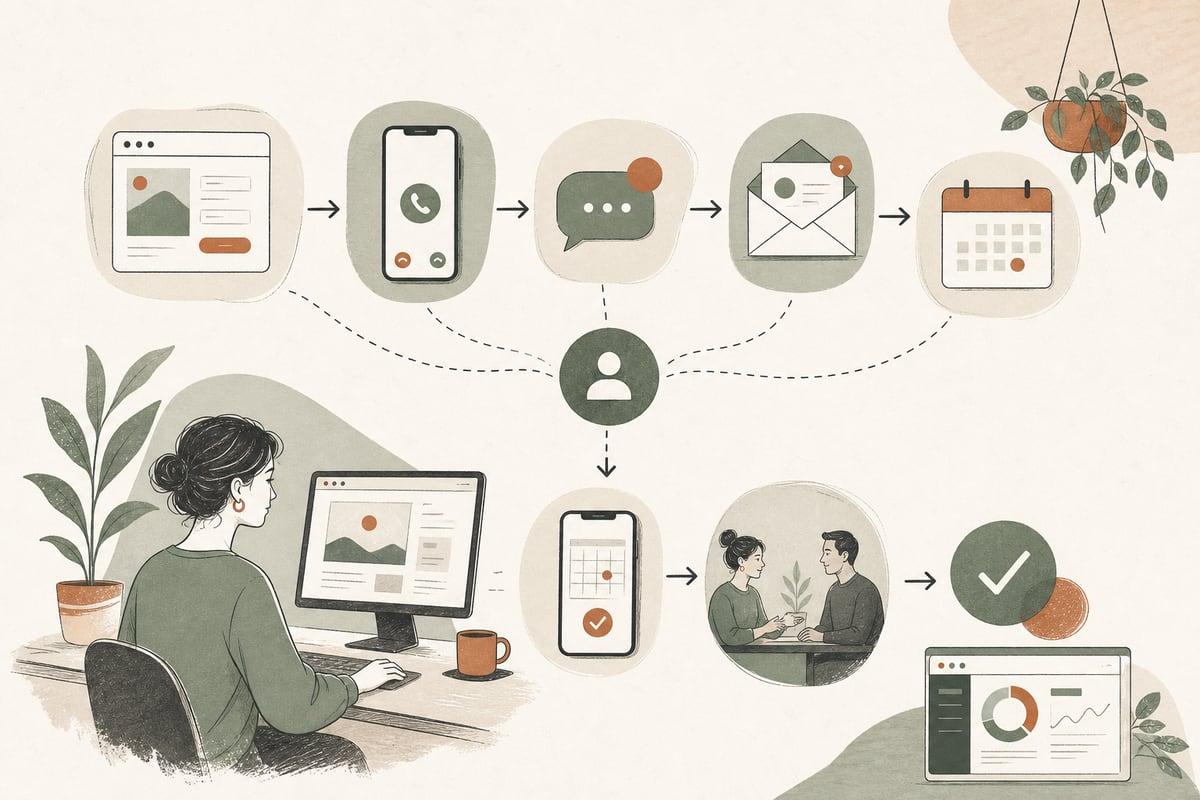
Most small businesses do not need more website leads first — they need a better system for what happens right after a lead comes in. A clear follow-up workflow helps you respond faster, qualify better, and book more real opportunities without letting good inquiries go cold.
Why website leads stall out after the form fill
A lot of owners assume the hard part is getting someone to submit a form. In reality, that is only the handoff point.
After a visitor contacts you, several things can go wrong:
- The email notification lands in spam
- Nobody knows who is supposed to reply
- Responses are slow or inconsistent
- The business asks the prospect to repeat information they already submitted
- There is no text, call, or booking option for people ready now
- Weak leads get the same attention as strong leads
- Follow-up stops after one attempt
When that happens, even a good website underperforms.
This is especially common for clinics, law firms, contractors, nonprofits, and local service businesses where leads often arrive during evenings, weekends, or while staff are busy. People who reach out usually contact more than one business. If your process is unclear, the next company often gets the job.
What a good website follow-up workflow should do
A useful workflow is not just about speed. It should do four things well:
- Confirm the inquiry was received
- Route the lead to the right person quickly
- Move the prospect toward the next step
- Prevent good leads from being forgotten
That next step might be:
- A phone call
- A text conversation
- A consultation
- An appointment request
- A quote process
- An intake review
The best workflow depends on your sales cycle. A roofer, family law attorney, med spa, and nonprofit donor team will not all use the exact same process. But the structure is similar.
A simple follow-up workflow small businesses can implement
Here is a practical model that works for many small businesses.
Step 1: Send an immediate confirmation
As soon as someone submits a form, they should get a confirmation message.
This can be:
- A thank-you page
- An automated email
- An automated text if they opted in
Keep it simple. Confirm that you received the inquiry and set expectations.
Example:
> Thanks for contacting us. We received your message and a member of our team will reach out shortly during business hours. If your request is urgent, call us at [phone number].
This message reduces uncertainty and reassures the prospect that their request did not disappear.
Step 2: Alert the right person immediately
Do not rely on one generic inbox if multiple people handle leads.
At minimum, your website should route inquiries to:
- The main contact email
- A backup email
- The person responsible for that service line or office location
If you get enough inquiries, use a CRM, help desk, or lead-routing system so leads are assigned clearly.
The goal is simple: one person should own the next action.
Step 3: Review and categorize the lead quickly
Not every inquiry should get the same response.
Create a short lead triage system such as:
- Hot lead: ready to book, urgent need, clear fit
- Warm lead: likely fit, needs answers first
- Low-fit lead: outside service area, wrong budget, wrong case type, spam, vendor
This helps your team prioritize without overcomplicating things.
Useful form fields for triage might include:
- Service needed
- Location
- Preferred contact method
- Timeframe
- Budget range if appropriate
- Brief description of the issue
Be careful not to make forms too long. More qualification fields can improve routing, but too much friction can reduce submissions.
How fast should you follow up?
For most small businesses, the practical answer is: as fast as your team can consistently manage, ideally within business hours and as soon as possible.
You do not need a complicated benchmark to know this matters. If someone is searching for help now, delays usually reduce your odds.
A realistic standard might be:
- Immediate automated confirmation
- Personal response same day when possible
- After-hours inquiries handled first thing next business day
- Urgent inquiries escalated to phone or text
If your team cannot monitor leads closely, this is where automation can help.
Where AI and automation can improve follow-up
AI should not be added just because it sounds modern. It should solve a clear bottleneck.
Good uses include:
- Instant website chat that answers basic questions and captures leads
- AI phone receptionists for after-hours call handling
- Automated text or email acknowledgment
- Routing inquiries by service type or location
- Calendar prompts for consultations
- Internal notifications so staff do not miss hot leads
For example, if your office receives many evening inquiries, an AI assistant can gather the prospect’s details, answer common questions, and queue the lead for your team. That is often better than forcing visitors to wait until the next day with no response at all.
The trade-off: automation should support human follow-up, not replace it where trust matters. For legal, medical, high-ticket home services, or sensitive issues, people still want to know a real person will step in.
A practical 5-touch follow-up sequence
Many leads do not respond to the first outreach, even when they are interested. That does not always mean they are unqualified.
A simple sequence could look like this:
Touch 1: Immediate confirmation
- Automated email or text
- Confirms receipt
- Sets expectations
Touch 2: First personal outreach
- Email, call, or text based on their preference
- Done as soon as possible
- Includes a clear next step
Example:
> Thanks for reaching out about kitchen remodeling in Pasadena. We’d be happy to help. Are you available for a quick call today, or would you prefer we send over the next steps by email?
Touch 3: Short follow-up reminder
- Sent if no response
- Keep it brief and helpful
Touch 4: Alternative contact method
- If you emailed first, try a call or text if appropriate
- Some people simply ignore one channel and respond on another
Touch 5: Close-the-loop message
- Polite final message
- Leaves the door open
Example:
> Just checking in one last time in case you still need help. If now is not the right time, no problem — you can reply here or call us anytime when you’re ready.
This kind of sequence is simple, respectful, and far better than one reply followed by silence.
What to say in your follow-up
Your first real response should do three things:
- Show you understand what they asked for
- Make the next step easy
- Reduce uncertainty
A weak reply says:
> We got your message.
A better reply says:
> Thanks for contacting us about estate planning. We work with clients throughout Los Angeles and can help with wills, trusts, and related documents. The next step is a short consultation to understand your situation and goals. Would you prefer a call this afternoon or tomorrow morning?
That is more specific, more helpful, and easier to act on.
Signs your current follow-up process is costing you customers
You may need a better workflow if:
- You are not sure who answers website leads
- Leads only go to one email inbox
- Staff reply differently every time
- There is no backup if someone is out of office
- You cannot tell which leads were contacted
- You regularly discover old inquiries too late
- Prospects say they already hired someone else
- You get leads, but appointments or consultations stay flat
In many cases, the website itself is not the main problem. The gap is operational.
A small-business follow-up checklist
Use this checklist to tighten your process:
- Add an immediate thank-you message after form submission
- Send an automated confirmation email
- Route leads to at least two internal recipients
- Assign one person to own each inquiry
- Add key form fields for faster triage
- Decide which leads require phone, text, or email first
- Create 2 to 3 response templates for common inquiries
- Set a same-day response goal where possible
- Build a simple 5-touch follow-up sequence
- Track whether inquiries become calls, appointments, or sales
- Add automation only where it solves a real delay
If you do just these basics well, you will usually get more value from your existing website traffic.
When to improve the website itself too
A better follow-up process will help, but some websites also create poor-quality leads because the pages are vague.
You may also need to improve:
- Service-page clarity
- Calls to action
- Contact-method options
- Intake form structure
- FAQ content
- Pricing expectations
- Local SEO targeting
In other words, better follow-up and better pages often work together. The website should attract the right people and your workflow should move them forward.
Bottom line
If your website is producing inquiries but not enough customers, do not only ask how to get more traffic. Ask what happens in the first 5 minutes, first hour, and first day after someone contacts you.
That is where many small businesses quietly lose revenue.
A clean follow-up workflow does not have to be complicated. It just has to be clear, consistent, and fast enough to match buyer intent. When paired with the right automation and a website built around real customer actions, it can turn more of your existing traffic into booked calls, appointments, and paying clients.
Frequently asked questions
Do I need a CRM to manage website leads?
No. Some small businesses can start with email, shared inbox rules, and a simple tracking sheet. A CRM becomes more useful as lead volume, staff involvement, or follow-up complexity increases.
Should every website lead get a phone call?
Not always. Follow the prospect’s preference when possible. Some buyers want to text or email first, especially for non-urgent or sensitive inquiries.
Can AI handle lead follow-up for my business?
It can help with first response, intake, routing, and after-hours coverage. For higher-trust services, AI should support your team, not replace meaningful human contact.
How many follow-up attempts are reasonable?
For many small businesses, 3 to 5 touches is a practical range. Enough to stay present, but not so much that it feels pushy.
What if my website gets a lot of low-quality leads?
That usually points to weak page messaging, poor targeting, unclear qualification, or bad traffic sources. Fixing follow-up helps, but improving lead quality starts on the website itself.
If you want help improving your website’s lead flow, automation, or WordPress setup, you can book a free consultation at https://webmasterandmore.com/consultation.
Free 60-second checkup
How healthy is your own website?
Paste your address, get an instant health check — speed, mobile experience, Google visibility, trust, and security. No email required.
Check my website freeOr just take one tip a month
A short monthly email with one practical way to make your website work harder. No spam, unsubscribe anytime.