Should You Use AI to Screen Spam and Bad-Fit Leads Before They Hit Your Team? A Small-Business Guide to Cleaner Pipelines and Better Follow-Up
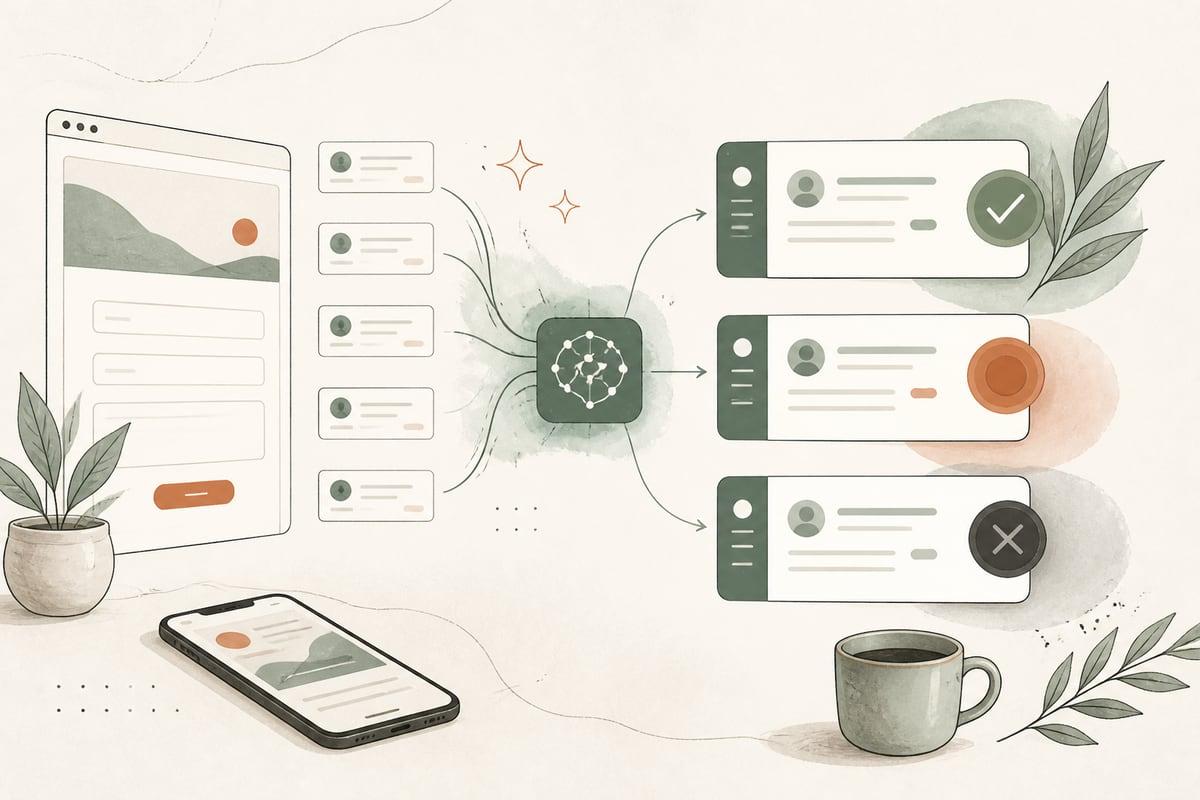
If your business gets too many junk inquiries, vague form fills, or bad-fit leads, AI can help filter them before they slow down your team. The goal is not to block real prospects with a robot gatekeeper. It is to protect your staff’s time, speed up follow-up for good leads, and keep your pipeline cleaner.
Why this matters more than most owners realize
A lot of small businesses do not have a lead-generation problem. They have a lead-handling problem.
When every website form submission, chat message, and text inquiry lands in the same inbox, your team has to sort through:
- obvious spam
n- sales pitches from vendors
- job seekers using the contact form
- customer-service questions that should go elsewhere
- people outside your service area
- people asking for services you do not offer
- low-intent messages with almost no detail
- real buyers who need a fast reply
That mix creates friction. Good leads wait while your staff manually reviews everything. Important inquiries get buried. Team members get inconsistent about who gets a call, a text, or a quote request next.
AI screening helps by making a first-pass decision in seconds.
What AI lead screening actually does
In a practical small-business setup, AI does not replace your sales process. It supports it.
A good workflow can automatically:
- detect likely spam or bot submissions
- flag duplicate submissions
- identify the type of inquiry
- extract key details from messy messages
- check service area fit
- check service-type fit
- estimate urgency based on the message content
- route qualified leads to the right person
- send non-sales inquiries to support or admin
- hold uncertain submissions for human review
For example, a plumbing company might receive three inquiries in five minutes:
- “Need leak repair in Pasadena today. Water under kitchen sink.”
- “Can you install solar panels?”
- “I can help you rank #1 on Google.”
AI can tag the first as a likely qualified service lead, the second as a bad-fit service request, and the third as spam or vendor outreach.
That means your team sees the real job first.
The biggest payoff: protecting response time for good leads
For most small businesses, the real ROI is not just labor savings. It is better speed-to-lead.
If your office manager spends chunks of the day clearing inbox clutter, every good inquiry competes with noise. AI screening reduces that noise so your team can:
- call real prospects sooner
- prioritize urgent requests
- avoid wasting time on obvious non-buyers
- keep sales conversations focused
- maintain a cleaner CRM
This matters especially for businesses where timing affects close rates:
- law firms
- clinics
- med spas
- contractors
- restoration companies
- home services
- consultants
- nonprofits handling intake requests
If a qualified lead is ready now, your system should treat that lead differently from a vague message that says, “just curious about pricing” with no location, timeline, or service match.
Signs your business is a good fit for AI lead screening
You are likely a good candidate if any of these sound familiar:
- your contact form gets frequent spam
- your team manually sorts inbox leads every day
- sales inquiries and support questions go to the same place
- you serve only specific cities or regions
- you offer only certain services, but people ask for unrelated ones
- your team complains that many leads are low quality
- your CRM is messy with junk contacts
- good leads sometimes wait too long for a response
- you want faster follow-up without hiring another admin person
If your lead volume is low but highly valuable, screening can still make sense. A law office may only get a modest number of inquiries, but one missed or delayed case lead can matter a lot.
What a smart screening workflow can look like
The best setups are simple for the customer and structured behind the scenes.
Step 1: Capture the inquiry
This can come from:
- website contact forms
- quote forms
- chat widgets
- SMS
- email inboxes
- AI voice receptionist transcripts
Step 2: Analyze the message with AI
The AI looks for useful signals such as:
- service requested
- city or ZIP code
- urgency
- budget clues
- timeline clues
- whether the person sounds like a real customer
- whether the request matches your business rules
Step 3: Score or classify the lead
Common categories include:
- qualified and urgent
- qualified but routine
- uncertain, needs human review
- bad fit
- spam or vendor outreach
Step 4: Route the inquiry automatically
Examples:
- urgent qualified lead goes to owner and sales rep by text and email
- routine lead goes into CRM and assigned pipeline
- support request goes to admin
- job application goes to hiring inbox
- clear spam gets archived or hidden from the main queue
Step 5: Trigger the right follow-up
That might include:
- instant acknowledgment email or text
- intake questions for unclear but promising leads
- booking link for qualified leads
- internal alert for high-priority cases
- a polite redirect for non-sales requests
Important trade-offs and risks
AI screening is useful, but it should not be set up recklessly.
Risk 1: false positives
A real lead could be mislabeled as spam or bad fit.
How to reduce that risk:
- use a review bucket for uncertain leads
- avoid aggressive auto-rejection rules
- monitor screened leads regularly
- fine-tune prompts and filters over time
Risk 2: overcomplicating the intake process
If you add too many gates, good prospects may leave.
Best practice:
- keep the front-end form simple
- do the deeper qualification behind the scenes
- only ask extra questions when they truly help routing
Risk 3: poor business rules
If the workflow does not reflect how your business actually operates, routing will be sloppy.
For example, if you serve nearby cities case by case, a strict location filter could wrongly downgrade good leads.
Risk 4: privacy and compliance concerns
This matters more for healthcare, legal, finance, and other sensitive industries.
Before launching, make sure you consider:
- what data is being collected
- where it is stored
- who can access it
- whether your tools and workflow match your compliance needs
What to decide before you build it
Before implementing AI screening, get clear on these questions:
- What counts as a qualified lead for your business?
- What types of inquiries should never reach sales first?
- What service areas are in or out?
- Which messages should trigger an urgent alert?
- What should happen to uncertain leads?
- Who owns follow-up after routing?
- What systems need to connect, like WordPress, CRM, email, SMS, or phone tools?
If those answers are fuzzy, the automation will be fuzzy too.
A practical starter checklist
If you want to test this without making your process complicated, start here:
- list the 3 to 5 most common junk inquiry types you receive
- define your top qualified lead signals
- identify your must-have routing destinations
- review your current forms and inbox flow
- decide what can be auto-routed versus held for review
- connect your website forms to a CRM or central lead system
- add AI classification and tagging
- create simple alert rules for high-priority leads
- review results weekly for the first month
- adjust based on real submissions, not guesses
For many businesses, the best first version is not a fully autonomous system. It is a semi-automated workflow that sorts and tags inquiries while a human still reviews the edge cases.
Where this works especially well
AI lead screening is often a strong fit for businesses with messy intake and limited admin bandwidth, including:
- law firms screening case types and jurisdictions
- contractors screening service areas and project types
- clinics sorting new-patient inquiries from admin questions
- nonprofits routing assistance requests and general outreach
- agencies filtering service-fit and budget-fit inquiries
- local service businesses separating urgent job requests from general questions
The common thread is simple: your team should not have to treat every incoming message like it deserves the same response path.
The bottom line
If junk inquiries are slowing down your staff or hiding real opportunities, AI screening is worth considering. Done well, it helps your team spend less time sorting, respond faster to real buyers, and keep your sales pipeline cleaner without making the customer experience worse.
The key is to use AI as a practical filter, not a wall between you and potential customers.
Frequently asked questions
Can AI block real leads by mistake?
Yes, it can. That is why a review category is important. The safest setup does not auto-delete uncertain inquiries.
Do I need a chatbot for this?
No. AI screening can work behind your existing forms, inboxes, SMS flow, or phone-transcript system.
Is this only useful for high-volume businesses?
No. It can also help lower-volume businesses where each lead is valuable and fast response matters.
Can this work with WordPress?
Yes. A WordPress website can send form submissions into AI workflows, CRMs, email tools, SMS platforms, and internal notifications.
How long does it take to set up?
It depends on your forms, routing rules, and software stack. A simple version can be mapped fairly quickly, while a more custom workflow takes more planning and testing.
If you want help designing an AI screening workflow that fits your website and your actual sales process, you can book a free consultation at https://webmasterandmore.com/consultation.
Free 2-minute assessment
Where could AI actually save your business time?
Answer a few questions about how you work today and get a personalized report on where AI and automation would pay off first — no email required to see it.
Take the free AI assessmentOr just take one tip a month
A short monthly email with one practical way to make your website work harder. No spam, unsubscribe anytime.