Should You Use AI to Reactivate Old Leads? A Small-Business Guide to Turning Quiet Contacts Into New Revenue
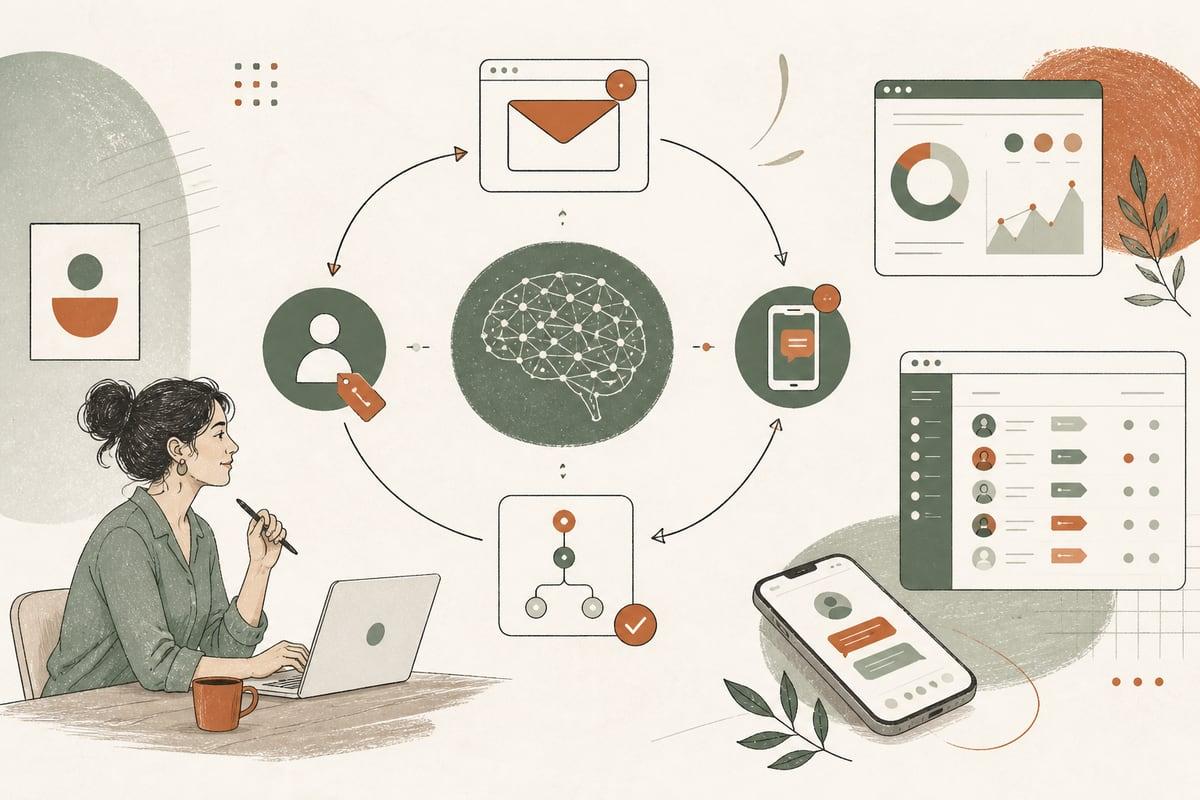
If you have old leads sitting in your inbox, CRM, or estimate system, AI can help you turn some of them into new calls, bookings, and jobs. The key is not blasting everyone with generic messages, but building a simple reactivation workflow that follows up faster, segments better, and sounds human.
Why old leads are one of the easiest places to find more revenue
Most small businesses spend a lot of energy trying to get new leads while ignoring people who already raised their hand once. That includes:
- people who filled out a contact form but never booked
- people who asked for pricing and went quiet
- old estimates that were never approved
- former customers who may need service again
- leads that came in after hours and were answered too late
These contacts are often more valuable than cold traffic because they already know your business exists. In many cases, they did not say no forever. They got busy, compared options, lost urgency, or never got a strong follow-up.
That is where AI automation can help. It gives small businesses a repeatable system for reaching back out without relying on someone on your team to remember every lead manually.
What an AI lead reactivation workflow actually does
A good AI reactivation setup does not just “send messages.” It handles the steps around follow-up so your team spends less time chasing and more time closing.
A typical workflow can:
- pull old leads from your CRM, inbox, spreadsheet, or form database
- sort them by type, service, age, and status
- generate personalized follow-up drafts
- send email or text in controlled batches
- detect replies and route hot leads to a person fast
- trigger reminders if no one on your team follows up
- log outcomes so you know what is working
For example, a contractor might reactivate estimates from 3 to 12 months ago. A law firm might follow up with consultation requests that never scheduled. A clinic might reconnect with dormant patients who never completed intake or treatment.
The AI part is useful because it can personalize outreach based on the information you already have, while automation handles timing, routing, and reminders.
Signs your business is a good fit for this
You are a good candidate for AI lead reactivation if:
- you have more than a handful of old leads sitting untouched
- your sales process includes estimates, consultations, or scheduling
- leads often go cold because follow-up is inconsistent
- your team is too busy to manually re-engage everyone
- you already use a CRM, spreadsheet, booking system, or contact database
- your service has repeat or delayed buying cycles
This can work especially well for:
- clinics and private practices
- law firms
- contractors and home-service companies
- local service businesses
- consultants and professional services
- nonprofits with donor or volunteer follow-up workflows
If your lead volume is tiny or your business closes nearly every inquiry immediately, this may not be the highest-ROI automation to build first.
Where small businesses usually get it wrong
A lot of AI outreach fails for predictable reasons. The problem is usually not the technology. It is the strategy.
Common mistakes include:
- uploading a messy list with no segmentation
- sending the same message to every contact
- using robotic language that feels fake
- contacting people too often
- failing to route replies to a real human quickly
- not excluding bad-fit leads, spam, or closed-lost contacts with clear reasons
- ignoring consent, opt-out, and compliance requirements for email and text
If someone replies and waits hours or days for a human response, the automation did not solve the real problem.
A practical small-business workflow that works
Here is a straightforward reactivation workflow many businesses can use.
1. Clean your lead list first
Before any AI touches your contacts, remove:
- duplicates
- spam leads
- wrong numbers and dead emails
- leads that already became customers
- leads that should not be contacted again
Then tag the rest by useful categories such as:
- service type
- location
- age of lead
- estimate sent or not
- booked consultation or not
- reason they stalled, if known
Good automation depends on clean inputs.
2. Create 3 to 5 message paths, not 25
Do not overcomplicate it. Most businesses only need a few reactivation tracks, such as:
- old estimate follow-up
- consultation not booked
- contacted us but never replied
- past customer due for repeat service
- abandoned booking or unfinished intake
This is enough to keep messaging relevant without creating a giant system nobody maintains.
3. Use AI to draft, not to pretend to be human magic
AI is great for writing helpful first drafts based on the lead category, service, and previous interaction. But the message still needs guardrails.
Good reactivation messages are:
- short
- specific
- friendly
- easy to reply to
- focused on the next step
For example, instead of a generic “just checking in,” a better message might mention the service requested and offer one simple action: reply, text, or book.
4. Pick the right channel
Not every business should use the same mix.
- Email works well for professional services, estimates, and lower-pressure follow-up.
- SMS works well for speed, reminders, and simple yes/no replies.
- Phone follow-up tasks can be triggered for high-value leads.
In many cases, the best workflow is email first, then text for non-responders where appropriate.
5. Add human handoff rules
This is the part that protects ROI.
Set clear triggers for when a person takes over, such as:
- any positive reply
- pricing questions
- appointment requests
- urgent or time-sensitive inquiries
- high-value leads
If AI starts the conversation but your team closes it quickly, that is usually a strong setup.
What this can automate behind the scenes
A well-built workflow can connect your website and business tools so follow-up does not live in random inboxes.
Depending on your setup, automation can:
- sync leads from WordPress forms, chat, booking tools, or call logs
- tag leads inside your CRM automatically
- send reactivation messages on a schedule
- notify staff in email, Slack, or text when someone replies
- create call-back tasks automatically
- pause outreach when someone books
- update statuses after a reply, call, or appointment
This is where custom implementation matters. The right workflow depends on how your business already works, not on forcing you into a generic app setup.
Trade-offs to think about before you build this
AI reactivation is useful, but it is not a miracle button.
Be honest about the trade-offs:
- It needs clean data. Bad contact records create bad outreach.
- It needs oversight. Someone should review messaging and outcomes.
- It works best with a real process behind it. If nobody handles replies, results will disappoint.
- It should respect your brand voice. Over-automated follow-up can feel cheap or pushy.
- It may require compliance review. This matters for industries like legal, healthcare, and finance.
In other words, automation helps good follow-up happen consistently. It does not replace judgment.
How to decide if this is worth doing now
Ask yourself these questions:
- Do we already have a backlog of old leads or dormant contacts?
- Are we losing opportunities because follow-up is inconsistent?
- Would faster re-engagement create more consultations, quotes, or bookings?
- Do we have enough lead volume to justify setting up a repeatable workflow?
- Can someone on our team handle replies promptly once people respond?
If the answer is yes to most of these, AI lead reactivation is often one of the more practical business automations to explore because it uses contacts you already paid to acquire.
What to prepare before talking to a developer or automation partner
If you want this built well, gather these first:
- where your leads currently live
- what statuses or tags you already use
- your main service categories
- examples of stalled leads you want to reactivate
- your preferred follow-up channels
- who should receive and respond to hot leads
- any legal or compliance rules that apply to your industry
This makes it much easier to design a workflow that fits your business instead of creating one more tool your team avoids.
The real goal: better follow-up, not just more software
The point of AI automation is not to add complexity. It is to make sure valuable leads do not disappear because your business was busy, short-staffed, or relying on memory.
For many small businesses, an AI reactivation workflow can be a practical way to create more revenue from existing contacts, improve response consistency, and give your team a cleaner path from inquiry to customer.
If you already have old leads collecting dust, this is worth looking at before spending more money chasing brand-new traffic.
Frequently asked questions
Can AI send reactivation texts and emails automatically?
Yes, but it should follow clear rules, use approved messaging, and include proper opt-out handling where needed.
Will AI follow-up sound robotic?
It can if it is set up poorly. With the right prompts, templates, and review process, messages can sound natural and on-brand.
What if we do not use a CRM yet?
You can still build a basic workflow from form entries, spreadsheets, inboxes, or booking data, though a CRM usually makes tracking easier.
Is this only for big lead lists?
No. Even a modest list of old estimates, consultations, or past inquiries can be worth reactivating if each lead has decent value.
Can this connect to our website and WordPress forms?
Yes. A custom setup can pull in leads from your site, organize them, and trigger follow-up automatically.
If you want help planning an AI workflow that fits your website, follow-up process, and customer journey, book a free consultation at https://webmasterandmore.com/consultation.
Free 2-minute assessment
Where could AI actually save your business time?
Answer a few questions about how you work today and get a personalized report on where AI and automation would pay off first — no email required to see it.
Take the free AI assessmentOr just take one tip a month
A short monthly email with one practical way to make your website work harder. No spam, unsubscribe anytime.