Should You Use AI to Qualify Leads Before Your Team Calls Them? A Small-Business Guide to Faster Follow-Up and Better Sales Conversations
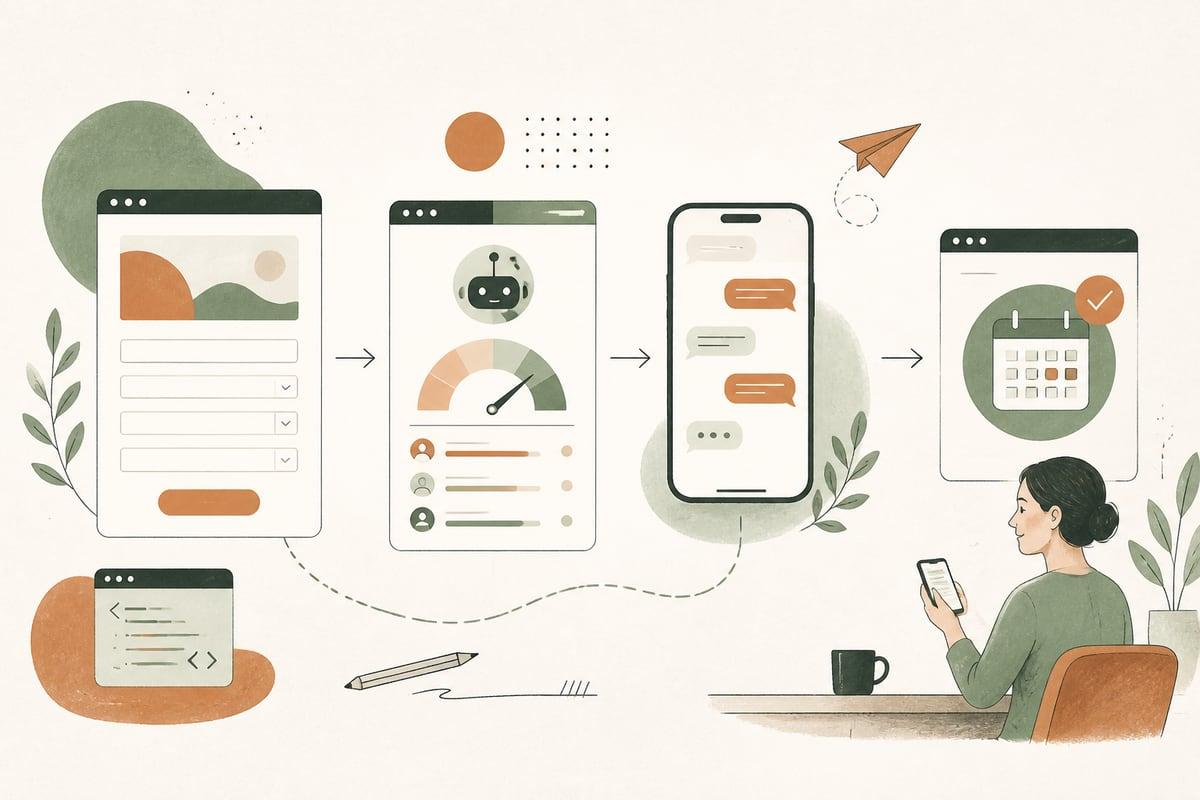
AI can help you qualify leads before your team calls them, but only if your business gets enough inquiries, asks the same screening questions repeatedly, and loses time chasing poor-fit prospects. For many small businesses, the payoff is faster response, cleaner pipelines, and more time spent on real sales conversations instead of manual sorting.
What AI lead qualification actually means
AI lead qualification is not just a chatbot popping up on your site. In practical terms, it means using AI and automation to help answer questions like:
- Is this person a good fit for your services?
- How urgent is their need?
- What service are they actually asking about?
- Do they meet your minimum budget, location, or case type requirements?
- Should they be routed to a phone call, a booking link, a quote request, or a human follow-up?
For a small business, this usually looks like an automated workflow connected to your website, CRM, forms, phone system, email, and text messaging.
A few real-world examples:
- A law firm screens for practice area, timeline, and conflict basics before intake staff calls back.
- A clinic screens for service type, insurance status, and preferred location before offering scheduling options.
- A contractor screens for project type, city, budget range, and timeline before sending a quote request to the right estimator.
- A nonprofit screens for donor, volunteer, partner, or client intent and routes each inquiry differently.
The goal is not to replace your staff. The goal is to stop making your staff do repetitive triage by hand.
The buyer-focused reason to do this
Most owners think about AI qualification as an efficiency upgrade. That matters, but the bigger reason is customer experience.
When a prospect reaches out, they want momentum. If they submit a form and hear nothing for hours, or they get a call back from someone who clearly did not read what they submitted, confidence drops fast.
A good AI qualification workflow can:
- respond immediately
- ask the next useful question
- route people to the right next step
- reduce back-and-forth
- help serious prospects get helped faster
That means better lead handling on your side and a smoother buying experience on theirs.
Signs your business is a good fit for AI lead qualification
This is usually a strong fit if:
- You get more inquiries than your team can quickly handle.
- Your staff asks the same 3 to 8 screening questions over and over.
- You waste time on spam, low-budget, wrong-service, or out-of-area leads.
- Good leads sometimes sit too long before follow-up.
- Different services need different next steps.
- You already use a CRM, email platform, or scheduling system.
It may not be the right first move if:
- You only get a handful of leads per month.
- Your sales process is highly custom from the very first contact.
- Your offers are so simple that a clean form and faster human follow-up would solve the problem.
- Your team is not ready to consistently use the data once leads are qualified.
In other words, AI qualification works best when you already have lead flow and process friction. It is less useful when the real problem is that your website is not generating enough interest in the first place.
What AI can qualify well
AI is especially useful when your qualification logic is clear, repeatable, and based on known criteria.
Common examples include:
- service needed
- location or service area
- budget range
- project timeline
- urgency
- appointment type
- language preference
- insurance accepted or not accepted
- business type or customer type
- basic eligibility requirements
AI can also summarize open-ended responses. For example, instead of your team reading five long paragraphs from a form submission, AI can produce a short summary with tags like:
- probable service: kitchen remodel
- city: Pasadena
- timeline: within 60 days
- budget signal: moderate
- next step: estimator callback
That can make follow-up much faster.
What AI should not decide on its own
This is where small businesses need to be careful.
AI should support decisions, not make sensitive judgment calls without review. You generally do not want AI autonomously rejecting people for complex, high-stakes, or regulated situations.
Use caution with:
- legal issue evaluation
- medical advice or care triage
- financial approvals
- anything requiring compliance review
- nuanced cases where context matters more than keywords
A better approach is to let AI collect, summarize, categorize, and route information, while a trained person handles the final decision.
A practical lead qualification workflow for a small business
Here is a common setup that works well.
1. Capture the lead from your website, phone, or chat
Sources might include:
- contact forms
- quote forms
- chatbot conversations
- AI voice receptionist calls
- booking requests
- text message inquiries
2. Ask a few smart qualifying questions
Keep this short. The goal is not to interrogate people.
For example:
- What service do you need?
- Where is the project or issue located?
- How soon do you need help?
- What is the best next step for you: call, text, or appointment?
Depending on the business, you might also ask budget range, insurance, or service-specific questions.
3. Let AI categorize and summarize the inquiry
AI can tag the lead by:
- service line
- urgency
- fit level
- lead source
- language
- sales priority
It can also summarize the person’s message so your team sees the key facts instantly.
4. Route the lead automatically
Examples:
- emergency issue -> immediate text alert and priority callback queue
- ideal-fit consultation -> booking link plus CRM assignment
- out-of-area lead -> polite redirect message
- existing customer support issue -> support workflow instead of sales
5. Trigger follow-up without waiting on staff
The system can send:
- a confirmation email
- a text that sets expectations
- a booking link
- a request for photos or documents
- internal alerts to the right staff member
6. Hand off to a human with context
This is the most important part. Your team should receive a clean summary, not just raw form data.
That way the first call starts with context, not confusion.
The biggest mistakes to avoid
Asking too many questions too early
If your first interaction feels like a long intake exam, conversion can drop. Start with only the questions needed to move the lead forward.
Automating around a broken process
If your routing, CRM, or follow-up system is messy now, AI can make the mess faster. Clean up the process first.
Hiding human contact
Some prospects want a person immediately. Give them that option. AI should guide, not trap.
Using generic scripts that do not fit your business
Lead qualification works best when it reflects your real sales process, not a canned template.
Forgetting compliance and privacy
If you collect sensitive information, make sure your forms, tools, storage, and workflows are set up responsibly.
How to decide if this is worth it
Ask these questions:
- How many leads do we get per month?
- How many are poor-fit or need routing?
- How long does first response take today?
- How much staff time goes into screening?
- Do good leads ever get delayed because the team is busy?
- Would faster sorting lead to more booked calls or appointments?
If the answers point to delay, inconsistency, or wasted labor, AI qualification may have a clear ROI.
The value usually comes from three places:
- less staff time spent on repetitive screening
- faster response for good leads
- better sales conversations because your team starts with context
A simple rollout plan
If you want to test this without overcomplicating it, start small.
Phase 1: Map your current intake
List:
- lead sources
- screening questions
- common lead types
- routing rules
- follow-up steps
Phase 2: Pick one use case
Good first pilots:
- contractor quote requests
- after-hours website leads
- law firm intake sorting
- clinic appointment pre-screening
Phase 3: Build the workflow
Connect your:
- website form or chatbot
- CRM
- email and SMS tools
- booking or call scheduling system
Phase 4: Review real conversations
Watch what happens. Where do people get confused? Which questions help? Which ones create friction?
Phase 5: Improve the prompts and routing
This is not set-and-forget. The best workflows are tuned over time based on actual lead behavior.
The bottom line
If your team is wasting time chasing bad-fit leads or manually sorting every inquiry, AI lead qualification can be a smart upgrade. Done well, it helps serious prospects get answers faster, gives your staff better context, and turns lead handling into a smoother system instead of a daily scramble.
But it should be built around your real business rules, your customer journey, and your team’s workflow. The best result is not “more automation” for its own sake. It is more qualified conversations and fewer missed opportunities.
Frequently asked questions
Is AI lead qualification the same as a chatbot?
No. A chatbot can be one part of it, but lead qualification usually includes forms, routing, CRM updates, texting, summaries, and internal alerts.
Will AI scare off prospects?
It can if it is slow, confusing, or asks too much. A short, helpful workflow usually feels faster and easier than waiting for a callback.
Can AI score leads automatically?
Yes, but the scoring rules should reflect your real business priorities. For many small businesses, simple fit tags and routing are more useful than a complicated scoring model.
Does this only work for high-volume businesses?
No, but the ROI is usually clearer when you have enough lead volume or enough screening friction to justify the setup.
Can this work with WordPress?
Yes. AI qualification workflows can be connected to WordPress forms, chat tools, CRMs, scheduling systems, and phone workflows.
If you want help planning an AI lead qualification workflow for your website, forms, chat, or phones, you can book a free consultation at https://webmasterandmore.com/consultation.
Free 2-minute assessment
Where could AI actually save your business time?
Answer a few questions about how you work today and get a personalized report on where AI and automation would pay off first — no email required to see it.
Take the free AI assessmentOr just take one tip a month
A short monthly email with one practical way to make your website work harder. No spam, unsubscribe anytime.