Should You Use AI to Handle FAQ Responses Before a Human Steps In? A Small-Business Guide to Faster Answers and Better Leads
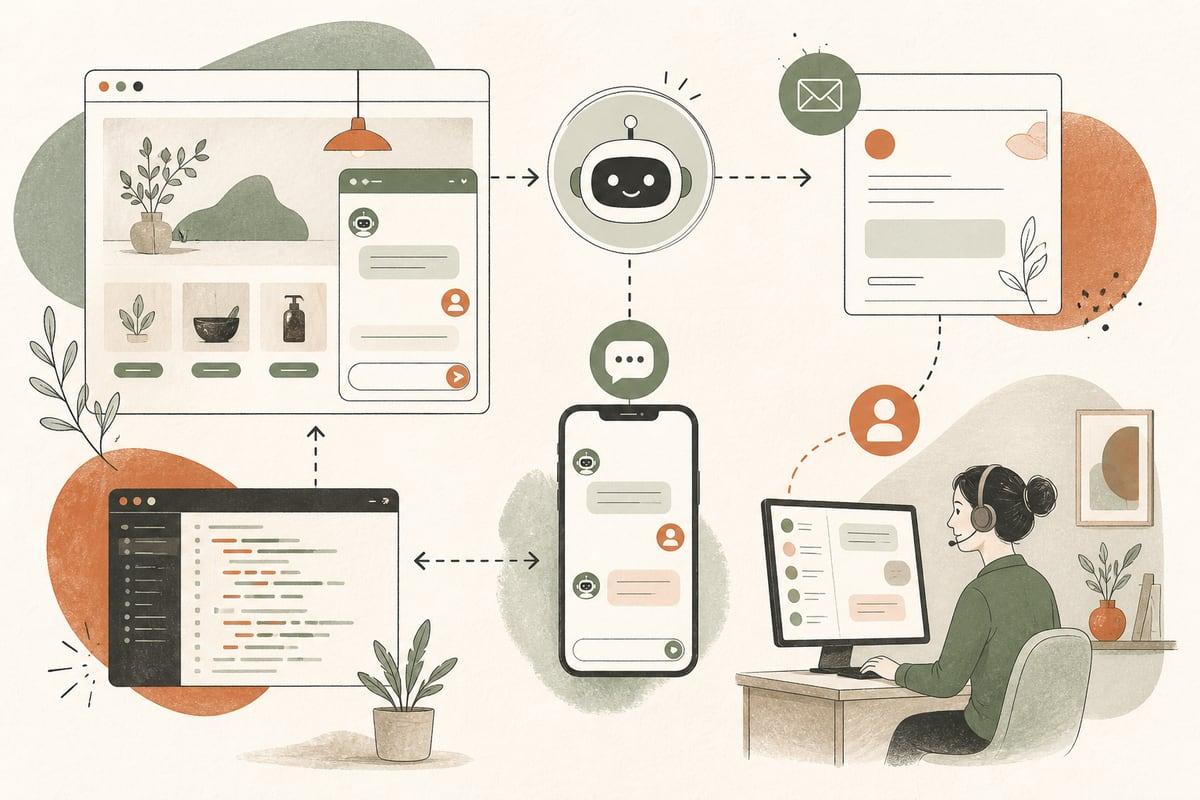
If your team answers the same pre-sales questions all day, an AI FAQ assistant can save time and help more prospects get to the next step faster. The key is using AI for repeatable questions only, with clear handoff rules when a real person is needed.
What an AI FAQ workflow actually does
An AI FAQ workflow gives prospects fast answers to common questions before your staff has to jump in. It can live on your website, connect to chat, email, text, or even your phone system, and pull from approved business information.
For a small business, that usually means answering questions like:
- Do you serve my area?
- What services do you offer?
- What types of cases or projects do you take?
- What are your business hours?
- Do you accept insurance?
- How does your process work?
- What should I bring to my appointment?
- How soon can I get scheduled?
- What happens after I submit the form?
This is not the same as replacing your sales team or front desk. It is a first-response layer that helps buyers get unstuck.
When this is worth doing
This kind of automation is usually worth considering if:
- Your staff repeats the same answers every day
- Leads come in after hours and wait too long for a response
- Prospects drop off because they cannot get a basic question answered quickly
- Your phone team gets buried in low-complexity inquiries
- You want cleaner handoffs to sales, intake, or scheduling
- You already have solid FAQs, but people still call to ask them
For many small businesses, speed matters as much as the answer itself. A prospect comparing three companies often contacts the one that makes the process easiest.
What problems it can solve
Used well, AI FAQ automation can improve both operations and lead flow.
1. Faster first response
A prospect lands on your site at night, on a weekend, or between meetings. Instead of waiting until tomorrow, they get an immediate answer and a next step.
2. Less repetitive admin work
Your team spends less time answering “Do you service my city?” and more time handling conversations that actually need judgment.
3. Better lead progression
Some buyers are not ready to book yet. They first need a few simple answers. AI can remove that friction and keep them moving.
4. More consistent messaging
When answers come from approved source content, prospects get a more consistent experience across channels.
5. Cleaner human handoffs
If the AI collects the basic context first, your staff can step into the conversation with less back-and-forth.
Where small businesses get this wrong
AI FAQ tools can absolutely create a bad experience if they are set up carelessly.
Common mistakes include:
- Letting AI guess when it should say “I’m not sure”
- Feeding it outdated website content
- Using it for pricing, legal, medical, or policy questions without guardrails
- Hiding contact options behind the bot
- Making the handoff to a human slow or confusing
- Treating every question like a support ticket instead of a buying signal
The biggest risk is not that AI exists. It is that the business owner assumes it will magically understand the company without structure, review, and limits.
Which businesses benefit most
This works especially well for businesses with high volumes of repeated pre-sales questions, including:
- Law firms
- Medical and dental clinics
- Contractors and home service companies
- Accountants and financial service firms
- Nonprofits with intake questions
- Local professional services
- Multi-location service businesses
If your business has a lot of nuance, that does not mean AI is a bad fit. It just means the workflow should focus on simple, common questions first and escalate the rest.
What an effective AI FAQ setup should include
A useful setup is not just a chatbot dropped onto a website. It needs structure.
1. An approved answer source
Your AI should pull from:
- Your real service pages
- Your FAQ content
- Your intake policies
- Your service area details
- Your scheduling rules
- Your business hours and contact info
If the source material is weak, the answers will be weak.
2. Clear boundaries
Define what the AI can and cannot answer.
Good AI FAQ topics:
- Services offered
- Service areas
- Hours
- Process steps
- Required documents
- Basic scheduling info
- General eligibility or fit questions
Topics that usually need tighter controls or human review:
- Custom pricing
n- Legal advice
- Medical advice
- Contract interpretation
- Sensitive complaints
- Exceptions to standard policy
3. Human handoff rules
The AI should know when to stop and route the conversation.
Examples:
- If the person asks about a complex case, escalate
- If they want a quote, move to estimate intake
- If they are ready to schedule, hand off to booking
- If they ask the same thing twice, offer a human
- If confidence is low, do not improvise
4. Lead capture built into the flow
This is important. The point is not just answering questions. The point is helping good prospects take the next step.
That might mean:
- Book a consultation
- Request an estimate
- Call now
- Start intake
- Upload documents
- Request a callback
Without that next step, the AI may be helpful but not very valuable.
A simple way to decide if this will pay off
Ask these questions:
- How many times per week does your team answer the same 10 questions?
- How many after-hours inquiries currently wait until the next day?
- How often do leads disappear before getting basic answers?
- Are staff members spending skilled time on low-skill repetition?
- Do buyers regularly ask website-answerable questions before booking?
If the answer to several of those is yes, there is probably real ROI in building a structured FAQ workflow.
The return often shows up in a few practical ways:
- Less staff interruption
- Faster lead response
- More completed booking or intake steps
- Better-quality conversations when staff do step in
How to launch this without making a mess
Start small.
Do not try to automate every conversation on day one. Build around your most frequent buyer questions first.
Practical rollout checklist
- Pull your top 20 to 40 repeated questions from calls, emails, chat logs, and front-desk notes
- Group them by topic: services, area, scheduling, process, paperwork, fit
- Write short, plain-English approved answers
- Flag risky topics that require a human
- Decide where the AI will live first: website chat, text, email, or phone
- Add clear next steps inside the responses
- Create handoff rules to a person or form
- Test with real scenarios before launch
- Review transcripts weekly for bad answers and missed opportunities
- Keep the content updated as your services and policies change
For most small businesses, this works best when connected to the website and lead flow you already have, not treated as a separate gadget.
Should you use a chatbot, text assistant, or voice workflow?
It depends on how your customers prefer to ask questions.
Website chat
Best if visitors are already on your site comparing options and need quick answers.
Text-based AI
Best if your audience often engages from mobile and wants low-friction back-and-forth.
Email AI assistance
Useful for confirming process details and handling repeat pre-intake questions.
AI phone assistant
Best if repeated FAQ calls are clogging your front desk or after-hours calls are going unanswered.
In many cases, the best setup is one shared knowledge base with different delivery channels.
The trade-offs to be honest about
AI FAQ automation is helpful, but it is not maintenance-free.
You will still need:
- Clean website and policy content
- Ongoing review
- Clear escalation paths
- Someone accountable for updates
And some prospects will always prefer a human right away. That is fine. A good setup helps people faster without trapping them.
The goal is not to force automation. The goal is to reduce friction for buyers and reduce repetitive work for your team.
The smartest first use case
If you are unsure where to start, begin with pre-sales FAQs that already have standard answers and clear next steps.
That gives you the lowest-risk, highest-clarity version of AI automation:
- Fast help for prospects
- Less repetition for staff
- Better movement toward calls, forms, and bookings
Then you can expand into deeper workflows like intake, routing, scheduling, reminders, and follow-up.
Frequently asked questions
Will an AI FAQ assistant replace my receptionist or sales staff?
No. It should handle repeated basic questions and pass people to a human when needed. The goal is better use of staff time, not removing human contact where it matters.
Can this work with my current website?
Usually, yes. It can often be added to an existing WordPress or custom website as long as the content and workflow are set up properly.
What if the AI gives a wrong answer?
That risk is reduced by using approved source content, limiting what it can answer, and setting strict handoff rules when confidence is low or the topic is sensitive.
Is this only useful for large businesses?
No. Small businesses often benefit a lot because repeated questions eat up a bigger share of a smaller team’s time.
What should I automate first?
Start with the most common pre-sales questions that already have standard answers, then connect those answers to a clear next step like booking, calling, or intake.
If you want help designing an AI FAQ workflow that fits your website, team, and lead process, book a free consultation at https://webmasterandmore.com/consultation.
Free 2-minute assessment
Where could AI actually save your business time?
Answer a few questions about how you work today and get a personalized report on where AI and automation would pay off first — no email required to see it.
Take the free AI assessmentOr just take one tip a month
A short monthly email with one practical way to make your website work harder. No spam, unsubscribe anytime.