Should You Use AI to Book Jobs From Website Inquiries Automatically? A Small-Business Guide to Faster Scheduling and Fewer Lost Leads
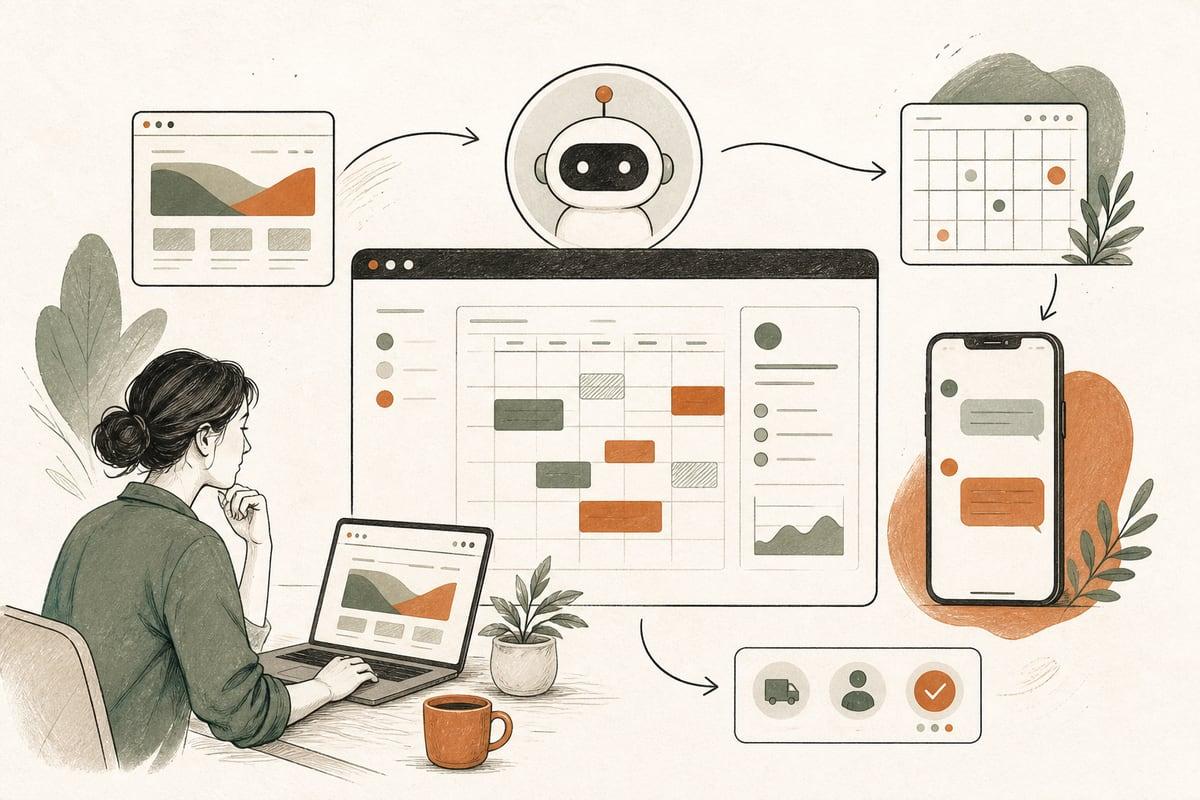
If new website leads are sitting in your inbox while your team plays phone tag, AI can help book more of them faster. The right AI scheduling workflow can reply quickly, collect the missing details, offer appointment times, and route qualified prospects to your calendar without creating a bad customer experience.
What AI scheduling automation actually means
For most small businesses, this is not a robot fully running your business. It usually means a practical workflow like this:
- A prospect fills out your website form, starts a chat, or sends a text.
- An AI assistant responds right away.
- It asks a few useful questions.
- It checks service area, service type, urgency, or basic fit.
- It offers available time slots or sends the right booking link.
- It confirms the appointment and notifies your team.
- It sends reminders or follow-up messages if the person does not finish booking.
That can work well for clinics, law firms, contractors, med spas, consultants, home-service companies, and nonprofits that handle a steady flow of inquiries.
The goal is simple: reduce the delay between “I’m interested” and “I’m booked.”
When this works especially well
AI booking automation is most useful when your business has a repeatable intake process.
Good fits include:
- Consultation-based services
- Estimate requests
- Intro calls
- Screening calls
- Discovery calls
- Service appointments with standard time windows
- Multi-location businesses with different calendars
- Businesses that get leads after hours or on weekends
You do not need huge volume to benefit. Even a few missed or delayed leads each week can make the setup worthwhile if each booked customer has meaningful value.
Signs your current scheduling process is costing you customers
If any of these sound familiar, you likely have a scheduling bottleneck:
- New inquiries wait hours before getting a response
- Staff members manually text back and forth to find a time
- Leads go cold before anyone reaches them
- Prospects submit forms outside business hours and hear nothing until the next day
- Your team repeats the same intake questions over and over
- People book the wrong type of appointment
- Staff has to re-enter website leads into a CRM or calendar
- No one consistently follows up with partially completed bookings
A lot of small businesses assume this is just normal admin work. It is common, but it is also fixable.
What parts should be automated vs. kept human
This is where many businesses get it wrong. Not every interaction should be handed to AI.
Good candidates for automation
- First response after a web inquiry
- Basic intake questions
- Service-area checks
- FAQ answers about timing, process, or preparation
- Appointment type routing
- Calendar availability checks
- Reminder messages
- Rescheduling links
- Follow-up for unfinished booking
Better handled by a person
- Complex legal or medical advice
- Sensitive complaint handling
- High-value sales conversations
- Exceptions, unusual scopes, or custom quoting
- Escalations from frustrated prospects
- Situations where trust must be earned through a live conversation
A smart workflow does not replace your team. It protects their time and moves routine steps out of their inbox.
A practical AI booking workflow for small businesses
Here is a simple model that works well in the real world.
Step 1: Capture the inquiry from your website
Your site should send leads into one central place, such as your CRM, help desk, scheduling platform, or automation tool.
Capture at least:
- Name
- Mobile number
- Service needed
- Preferred location or service area
- Short description of need
- Preferred timing
- Source page or campaign
If your form is too long, conversion may drop. If it is too short, your team wastes time chasing details. Aim for enough information to route the lead correctly.
Step 2: Send an immediate response
The first response should happen within minutes, not hours.
A good automated reply can:
- Confirm the inquiry was received
- Set expectations clearly
- Offer the next step
- Ask one or two missing questions
- Provide a direct booking option if appropriate
Example:
> Thanks for reaching out. We can help with that. To get you to the right next step, are you looking for a new installation, a repair, or a consultation?
This feels more helpful than a generic “We’ll get back to you soon.”
Step 3: Qualify and route
The workflow should decide what happens next based on answers.
Examples:
- If the prospect is inside your service area, offer booking.
- If outside your service area, send a polite decline or alternative.
- If the inquiry is urgent, flag it for priority human follow-up.
- If the matter requires a specialist, route to the right calendar.
- If the lead is not ready to book, place them into a nurture follow-up.
This is where AI can save a lot of manual sorting.
Step 4: Offer appointment times intelligently
Instead of asking, “What time works for you?” the system should present actual options.
That may connect to:
- Google Calendar
- Outlook Calendar
- Practice management software
- CRM scheduling tools
- A custom booking system
Important detail: the booking options should match the service type. A 15-minute intro call, a 60-minute consultation, and an on-site estimate should not all use the same calendar rules.
Step 5: Confirm and reduce no-shows
After booking, the workflow should send:
- Confirmation message
- Calendar invite
- Preparation instructions
- Reminder sequence
- Easy reschedule link
This improves show rates and reduces the back-and-forth your staff would otherwise handle manually.
Common mistakes to avoid
AI booking automation can absolutely create friction if it is set up poorly.
Watch out for these issues:
1. Over-automating too early
If your intake process is messy, automation will scale the mess. Clean up your steps first.
2. Making the AI sound fake or evasive
People do not need your system to pretend it is human. Clear, helpful, and honest usually works better.
3. Asking too many questions before offering a next step
Every extra question creates drop-off risk. Only ask what is needed for routing or booking.
4. Not having a human escape hatch
Prospects should always have a way to say, “I need to talk to someone.”
5. Ignoring after-hours behavior
A lot of businesses miss leads because the automation only works when staff is online. One of the biggest benefits is handling nights and weekends.
6. Failing to connect the workflow to your real systems
If AI collects information but your team still has to copy and paste it into calendars or CRMs, you have only solved part of the problem.
How to decide if this is worth implementing
Ask yourself these questions:
- How many website inquiries do we get each week?
- How quickly do we currently respond?
- How many leads are lost before scheduling?
- How much staff time goes into back-and-forth booking?
- Do we have standard appointment types and rules?
- Do we often miss leads after hours?
- Is each booked appointment valuable enough to justify the setup?
If your current process is slow, repetitive, or inconsistent, the ROI case is usually pretty straightforward: faster response time and easier booking often lead to more conversations and more customers.
What a good implementation should include
If you want this to work well, do not think only about the chatbot or the messages. Think about the whole system.
Your setup should include:
- Website form or chat optimization
- Clear intake logic
- CRM or lead-tracking integration
- Calendar integration
- Service-area and service-type routing
- SMS and email automation
- Escalation rules for human handoff
- Reminder and reschedule flows
- Reporting on inquiry-to-booking conversion
That last point matters. If you cannot measure how many inquiries become appointments, you cannot really judge whether the automation is helping.
The trade-off to understand
The main trade-off is control versus speed.
A fully manual process gives your team more control over each interaction, but it is usually slower and harder to maintain consistently. A well-designed AI workflow increases speed and consistency, but it needs careful setup so it does not feel rigid or impersonal.
For most small businesses, the best answer is hybrid:
- Let AI handle the immediate response and routine scheduling steps.
- Let humans step in for exceptions, nuance, and closing.
That tends to produce a better customer experience than either extreme.
Bottom line
If website inquiries are not turning into booked appointments fast enough, AI scheduling automation is worth a serious look. Done right, it helps you respond faster, cut admin work, and make it easier for ready-to-buy prospects to take the next step.
The key is not “adding AI” just to say you did. The key is building a workflow around how your business actually books customers.
If you want help planning an AI booking workflow for your website, chat, forms, or phone process, you can request a free consultation at https://webmasterandmore.com/consultation.
Frequently asked questions
Can AI book appointments directly from my website?
Yes, if it is connected to your form, chat, CRM, and calendar tools. It can collect details, qualify leads, and present available times automatically.
Will customers get annoyed by automated booking?
They can if the workflow is clunky, overly robotic, or blocks access to a person. But many customers prefer fast, simple scheduling over waiting for a callback.
Does this only work for high-volume businesses?
No. Even lower-volume businesses can benefit if each lead is valuable and the current follow-up process is slow or inconsistent.
Can this work with WordPress?
Yes. WordPress sites can support AI booking workflows through custom integrations, forms, chat tools, CRM connections, and scheduling platforms.
What is the best first step?
Map your current process from inquiry to booked appointment. Then identify where leads stall, where staff repeats manual work, and what can be automated without hurting the customer experience.
Free 2-minute assessment
Where could AI actually save your business time?
Answer a few questions about how you work today and get a personalized report on where AI and automation would pay off first — no email required to see it.
Take the free AI assessmentOr just take one tip a month
A short monthly email with one practical way to make your website work harder. No spam, unsubscribe anytime.