Should You Use AI to Automate New Client Onboarding? A Small-Business Guide to Faster Handoffs and Fewer Drop-Offs
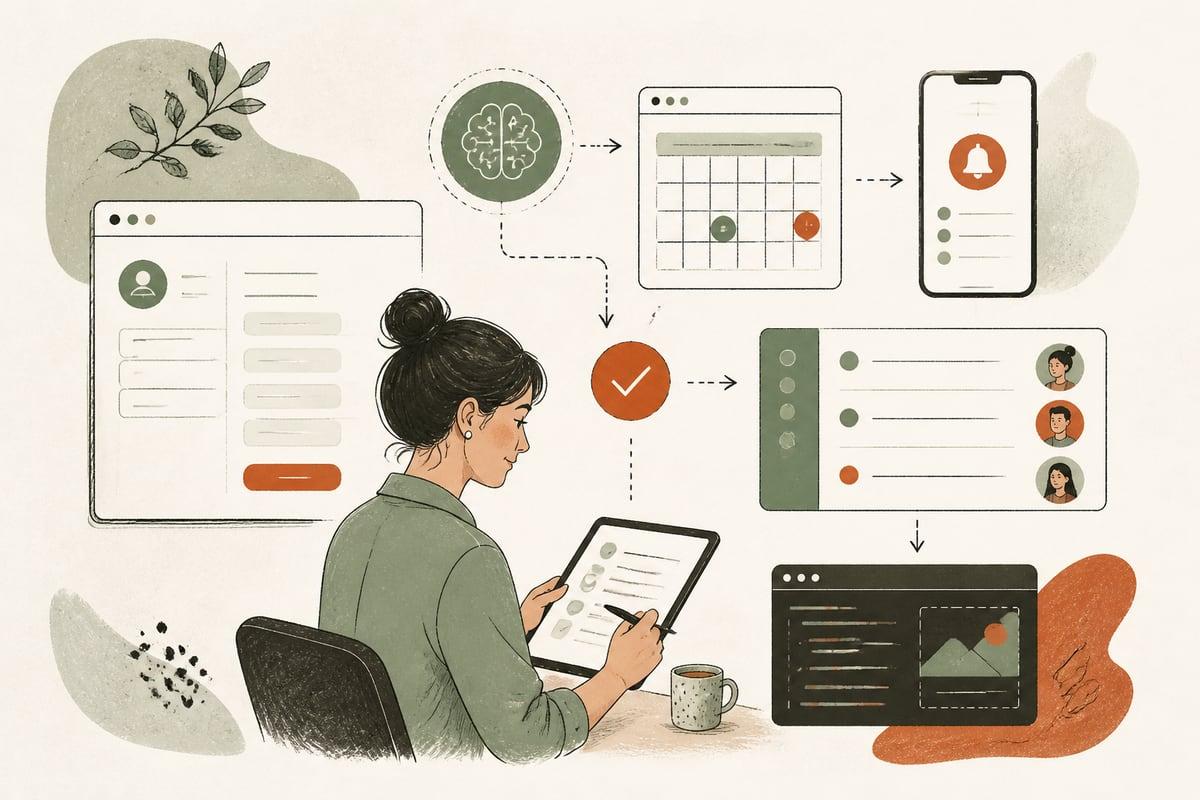
AI can be a very good fit for new client onboarding if your team keeps repeating the same first-step emails, forms, reminders, and handoffs after a customer says yes. The goal is not to replace people; it is to help new customers get started faster, with fewer delays, fewer missed details, and less admin work.
What AI-powered onboarding actually means
For a small business, onboarding is everything that happens between “we’re moving forward” and “work has officially started.” That usually includes:
- Welcome emails or texts
- Intake forms
- Document requests
- Appointment or kickoff scheduling
- Internal task creation
- Reminders for missing information
- Routing info to the right team member
- Answering common next-step questions
AI onboarding does not have to mean a giant, expensive system. In many cases, it means connecting the tools you already use so the next step happens automatically, while AI helps personalize messages, answer routine questions, and keep the process moving.
A few examples:
- A law firm sends a signed client to an intake workflow that requests documents, confirms the consultation format, and answers common prep questions.
- A clinic collects pre-visit information, sends instructions, and flags incomplete forms before the appointment.
- A contractor gathers project details, photos, and preferred scheduling windows, then alerts the estimator when everything is ready.
- A nonprofit sends volunteer or donor follow-up steps based on interest type, location, or availability.
Why small businesses lose customers during onboarding
Many owners focus hard on getting the lead and closing the sale, then underestimate what happens immediately after. That gap matters.
If the customer has to wait too long, repeat information, guess what happens next, or chase your office for updates, you create friction right after they decided to trust you.
Common onboarding problems include:
- A manual welcome process that depends on one busy staff member
- Intake emails getting delayed or forgotten
- Customers not completing forms because instructions are unclear
- Documents arriving by text, email, and voicemail with no system
- No automatic reminders for missing items
- Team members not knowing when an account is actually ready
- Repetitive questions tying up the front desk
The result is slower start times, more back-and-forth, and in some cases lost customers who quietly disengage before the work really begins.
Signs AI onboarding is worth considering
You should seriously consider AI-assisted onboarding if any of these sound familiar:
- Your team sends the same “next steps” message over and over
- New customers frequently delay because forms or documents are missing
- Staff members spend too much time chasing basic information
- Customers often ask the same onboarding questions
- Handoffs between sales, admin, and operations are messy
- You rely on memory instead of a clear workflow
- You want faster start times without hiring more admin support
If your business onboards even a modest number of customers each month, smoothing this stage can improve both efficiency and customer experience.
What to automate first
The best first automations are the tasks that are repetitive, rules-based, and time-sensitive.
1. Welcome and next-step messages
As soon as a customer signs, books, or pays a deposit, they should get a clear message that explains:
- What happens next
- What they need to send
- When they should expect a response
- How to ask questions
- The next deadline or appointment
AI can personalize this based on service type, location, language, or customer segment.
2. Intake and information collection
Instead of generic forms, AI can help present the right questions for the specific service. That reduces confusion and helps your team collect cleaner information from the start.
Examples:
- Practice area-specific law firm intake
- Service-specific contractor project details
- Patient-type-specific clinic forms
- Role-specific nonprofit volunteer intake
3. Missing-item reminders
One of the highest-ROI automations is reminding people to complete what they started.
This can include reminders for:
- Unsigned forms
- Missing IDs or documents
- Uploaded photos not received
- Scheduling links not completed
- Deposits not paid
These reminders can go out by email or text and stop automatically once the task is done.
4. Kickoff scheduling
Once the required items are completed, the system can invite the customer to book the next step or notify your team to reach out.
That removes the common delay where everyone is waiting for someone else to act.
5. Internal handoffs
A good onboarding workflow should not just message the customer. It should also create tasks internally.
For example:
- Notify the right staff member when intake is complete
- Create a project or case record
- Assign setup tasks
- Flag urgent or incomplete accounts
- Route VIP or high-value customers for white-glove follow-up
What should stay human
This is where a lot of businesses get it wrong. Just because something can be automated does not mean it should be.
Keep humans involved when the moment is sensitive, strategic, or high-trust.
Usually that includes:
- Complex questions that require judgment
- Pricing changes or scope clarification
- Legal, medical, or compliance-sensitive communication
- Escalations when a customer is frustrated
- High-value relationship building
- Final approval of unusual cases
A good AI onboarding system should make it easy to hand the conversation to a real person when needed.
A practical small-business onboarding workflow
Here is a simple model that works well for many service businesses.
Step 1: Trigger the workflow
The trigger could be:
- Signed agreement
- Paid deposit
- Approved estimate
- Completed booking
- Accepted proposal
Step 2: Send a welcome message immediately
Include:
- A thank-you
- Clear next steps
- Timeline expectations
- Link to intake form or portal
- Best contact method for questions
Step 3: Collect the right information
Use a service-specific intake form instead of one generic form for everyone.
Step 4: Watch for incomplete steps
If the customer does not finish the form, upload documents, or book the next appointment, send timed reminders.
Step 5: Answer common questions automatically
An AI assistant can answer questions like:
- What documents do I need?
- How long does onboarding take?
- Can I reschedule?
- Where do I upload files?
- What happens after I submit this?
Step 6: Notify your team when the account is ready
Once required items are completed, your system should alert the right person and create the next internal task.
Step 7: Escalate exceptions to a human
If the customer seems confused, misses multiple steps, or asks a sensitive question, route it to your team.
The trade-offs to think about
AI onboarding can save time and reduce drop-off, but it is not magic.
Here are the main trade-offs:
Pros
- Faster customer start times
- Less repetitive admin work
- More consistent communication
- Fewer forgotten steps
- Better visibility into who is stuck
- Cleaner handoffs between teams
Cons
- Bad workflows get automated too if the process is poorly designed
- Over-automation can feel impersonal
- Tool integrations take planning
- Compliance and privacy matter, especially in legal and healthcare settings
- Someone still needs to own exceptions and quality control
The biggest mistake is automating a messy process without first deciding what the ideal onboarding experience should be.
How to tell if your onboarding process is the real bottleneck
Before investing in automation, check these questions:
- How long does it take a new customer to receive next steps?
- How often do people fail to complete onboarding?
- Which documents or forms are most often missing?
- How many staff touches does a typical onboarding require?
- Where do customers get confused?
- Which questions are repeated every week?
- How long does it take to move from “yes” to “ready to start”?
If you cannot answer those clearly, map the process first. Often, even a basic workflow diagram reveals obvious delays and duplicated work.
Best fit businesses for AI onboarding
This approach tends to work especially well for businesses that have:
- A repeatable intake process
- Multiple service types or customer paths
- Frequent scheduling or document collection
- Limited admin bandwidth
- High value in reducing delays after the sale
Good examples include:
- Law firms
- Medical and wellness clinics
- Contractors and home-service companies
- Accountants and financial professionals
- Marketing agencies and consultants
- Nonprofits with volunteer or client intake workflows
How to start without overcomplicating it
You do not need to automate everything at once.
Start with this checklist:
- Pick one service or customer type
- Map your current onboarding steps
- Identify the top 3 repetitive tasks
- Write a better welcome message
- Create one service-specific intake form
- Add one reminder sequence for incomplete steps
- Set one internal notification when intake is complete
- Define when AI should hand off to a human
- Review the workflow after 30 days
That is usually enough to prove whether the system is saving time and helping customers move forward faster.
The real ROI of AI onboarding
The real value is not just labor savings. It is the combination of:
- Faster handoff from sale to service
- Fewer customers going quiet after they say yes
- Better first impressions
- Less administrative drag on your staff
- More capacity without adding headcount immediately
For small businesses, that can be a meaningful operational advantage. If your team is winning customers but struggling to get them smoothly into the next step, AI onboarding is often one of the most practical places to automate.
Frequently asked questions
Is AI onboarding only for large companies?
No. Small businesses often benefit the most because they have less admin capacity and feel repetitive work more directly.
Does this replace my office staff?
It should support your staff, not replace them. The best use is removing repetitive tasks so your team can focus on higher-value conversations.
Can this work with my website and CRM?
Usually yes, depending on your current tools. A good setup often connects your website forms, CRM, scheduling, email, text messaging, and internal task system.
What if my onboarding process is different for each service?
That is normal. AI workflows can branch based on service type, location, urgency, or customer category.
What is the best first automation to build?
Usually the best first step is an immediate welcome and next-step workflow, followed by reminders for incomplete forms or missing documents.
If you want help designing an AI onboarding workflow that fits your business, schedule a free consultation at https://webmasterandmore.com/consultation.
Free 2-minute assessment
Where could AI actually save your business time?
Answer a few questions about how you work today and get a personalized report on where AI and automation would pay off first — no email required to see it.
Take the free AI assessmentOr just take one tip a month
A short monthly email with one practical way to make your website work harder. No spam, unsubscribe anytime.