Should You Use AI to Automate Lead Nurturing Between First Contact and the Sales Call? A Small-Business Guide to Staying Warm Without More Admin Work
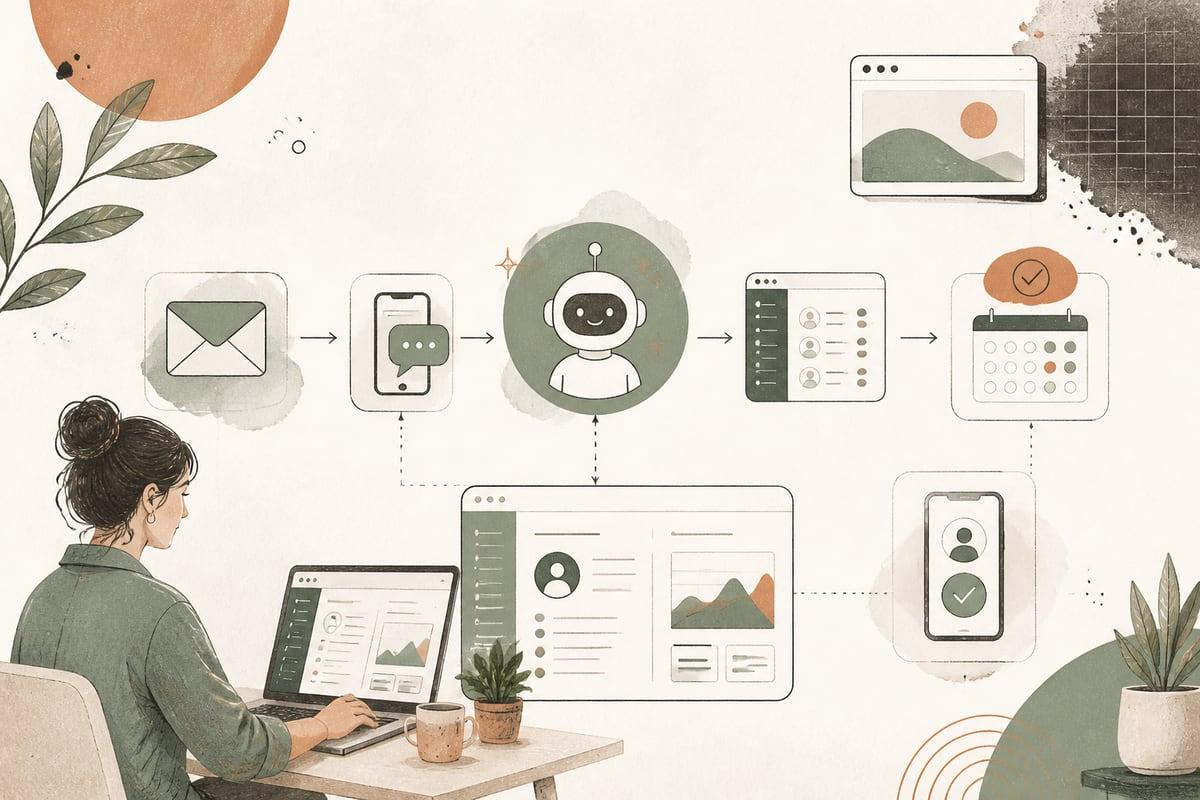
If leads are contacting you but not moving to a call or appointment, AI can help by automating the follow-up between the first inquiry and the sales conversation. The right workflow keeps your business visible, answers common questions, and nudges people forward without making your team chase every lead manually.
What AI lead nurturing actually means for a small business
AI lead nurturing is not just blasting generic emails. For a small business, it usually means building a workflow that:
- responds quickly after a form fill, call, or chat
- sends useful follow-ups by email or text
- answers common questions automatically
- adjusts messaging based on the lead’s interest, service type, or timing
- prompts the next best action, like booking a consultation or replying with a question
This is especially useful when buyers are interested but not ready to commit the same day.
Examples:
- A law firm lead wants to speak with a spouse before booking.
- A contractor prospect is collecting multiple estimates.
- A clinic lead is nervous and has questions before scheduling.
- A nonprofit prospect needs board approval before moving forward.
In all of these cases, silence hurts you. Consistent, helpful follow-up gives you a better chance of staying in the running.
Signs your business is a good fit for AI lead nurturing
You should seriously consider this if:
- you get leads from your website, ads, SEO, referrals, or calls
- many prospects do not book or buy right away
- your team forgets to follow up consistently
- leads ask the same pre-sales questions over and over
- your sales cycle is longer than a day or two
- you rely on one or two staff members to keep leads moving
You may not need a complex setup if nearly every good lead calls and books immediately. But if there is any gap between “I’m interested” and “I’m ready,” nurturing matters.
Where AI lead nurturing helps most
The best use cases are usually in the middle of the funnel, after initial interest but before commitment.
1. Post-inquiry follow-up
After someone fills out a form, AI can:
- send a fast confirmation
- thank them for reaching out
- restate the service they asked about
- explain what happens next
- offer a booking link or alternative reply option
This alone reduces uncertainty and lowers drop-off.
2. Educational follow-up
Many leads stall because they do not fully understand the process, pricing range, timeline, or what makes one provider different from another.
AI can send a short sequence with:
- answers to common objections
- what to expect during a consultation
- links to relevant service pages
- reviews or case-study-style proof
- preparation steps before the call
This works best when the content is genuinely helpful, not pushy.
3. Re-engagement when a lead goes quiet
A lead may not be dead. They may be busy.
An AI workflow can detect inactivity and send a smart follow-up like:
- “Still interested in getting help with this?”
- “Would you like a quick answer before booking?”
- “Here’s the next step if you want to move forward.”
Done well, this recovers opportunities that would otherwise be forgotten.
4. Segmented nurturing by service or lead type
Not every lead should get the same sequence.
For example:
- A family law inquiry should get different follow-up than a DUI inquiry.
- A kitchen remodel lead should get different timing than an emergency repair lead.
- A new patient inquiry should get different messaging than a returning patient.
AI can help sort leads and send more relevant communication automatically.
What a practical AI lead nurturing workflow looks like
Here is a simple version that works for many small businesses.
Step 1: Capture the lead cleanly
Start with a good intake source:
- website form
- chat widget
- phone call summary
- text message inquiry
- landing page form
Collect the basics:
- name
- phone
- service needed
- timeline
- location if relevant
- message or problem description
Bad inputs lead to bad automation. Keep the form simple, but gather enough to personalize follow-up.
Step 2: Send an immediate first response
Within minutes, the lead should receive:
- confirmation that you got the inquiry
- a realistic next-step expectation
- one clear CTA, such as booking or replying
- a helpful resource if appropriate
This can be AI-assisted but should sound human and business-appropriate.
Step 3: Route the lead into the right nurture path
Based on what they selected or wrote, the workflow can tag them by:
- service
n- urgency
- location
- estimated fit
- referral source
Then each segment gets the most relevant sequence.
Step 4: Deliver short, useful follow-ups
A good nurture sequence might include 3 to 5 touches over several days or weeks, depending on your business.
Examples:
- Day 0: confirmation and next steps
- Day 1: common questions answered
- Day 3: proof, reviews, or process overview
- Day 7: reminder to book or reply
- Day 14: final check-in
This is not about pressure. It is about reducing friction and helping people move when they are ready.
Step 5: Trigger a handoff when intent rises
When someone:
- clicks a booking link multiple times
- replies with a question
- revisits a key page
- asks about availability or pricing
…the workflow should alert your team or create a task in your CRM. AI should support your staff, not hide warm leads from them.
What to watch out for
AI lead nurturing can absolutely hurt results if it is badly implemented.
Common mistakes include:
- sending messages that sound robotic or vague
- over-messaging people and creating annoyance
- failing to segment by service or urgency
- not syncing with your CRM or inbox
- giving inaccurate answers about pricing, timelines, or legal/medical topics
- automating follow-up without a clear human handoff
For higher-trust industries like law, healthcare, finance, and sensitive services, review all messaging carefully. In many cases, AI should guide and organize communication, not make risky promises.
How to know if it is working
Do not judge the workflow by whether it feels impressive. Judge it by whether it moves more leads forward.
Track metrics like:
- response time after inquiry
- booking rate from new leads
- reply rate to follow-up messages
- percentage of leads that go cold
- time from inquiry to consultation
- close rate by lead source and nurture path
Even a simple improvement in speed and consistency can create meaningful ROI when your existing leads stop slipping through the cracks.
The best businesses for this kind of AI automation
This is often a strong fit for:
- law firms
- medical and dental practices
- contractors and home-service companies
- consultants and professional services
- nonprofits with intake or application flows
- local service businesses with multi-step buying decisions
If your prospects need time, education, reassurance, or multiple touches before they commit, nurturing is usually worth improving.
A simple rollout plan
If you want to test this without overcomplicating it, start here:
- Identify one lead source, like your main website contact form.
- Pick one service line with enough lead volume.
- Write one immediate response and three follow-up messages.
- Add one clear CTA in every message.
- Set a human review point for replies or high-intent actions.
- Measure booking rate before and after.
Start small. A focused workflow that is well written and properly connected usually beats a giant automation system nobody trusts.
Bottom line
If your business loses momentum between first contact and the sales call, AI lead nurturing is worth considering. It helps you respond faster, stay visible longer, and move more good leads toward a real conversation without adding more admin burden.
The key is not more automation for its own sake. The key is better timing, better relevance, and better follow-up on leads you already worked hard to get.
Frequently asked questions
Is AI lead nurturing the same as a chatbot?
No. A chatbot is one possible entry point. Lead nurturing usually continues after the first interaction through email, text, CRM tasks, and follow-up workflows.
Will this feel too automated to prospects?
It can if it is written poorly. The best setups use natural language, useful information, smart timing, and a clear path to a human when needed.
Can this work with WordPress?
Yes. A WordPress site can feed leads into CRM, email, SMS, and AI workflow tools through forms, integrations, and custom automation.
Do I need a CRM first?
Not always, but it helps a lot. Even a lightweight CRM makes it easier to segment leads, track responses, and measure results.
How long does it take to set up?
A simple workflow can be launched fairly quickly if your forms, inboxes, and follow-up process are already clear. More advanced setups take longer if they include CRM logic, AI qualification, or multi-channel messaging.
If you want help designing an AI lead nurturing workflow that fits your website and sales process, book a free consultation at https://webmasterandmore.com/consultation.
Free 2-minute assessment
Where could AI actually save your business time?
Answer a few questions about how you work today and get a personalized report on where AI and automation would pay off first — no email required to see it.
Take the free AI assessmentOr just take one tip a month
A short monthly email with one practical way to make your website work harder. No spam, unsubscribe anytime.