Should You Use AI to Automate Estimate Follow-Up and Approval? A Small-Business Guide to Turning Sent Quotes Into Faster Yeses
If you regularly send estimates, proposals, or service quotes and then hear nothing back, AI can help you follow up faster and more consistently. The right setup will not magically close every job, but it can reduce delays, answer routine questions, and help more qualified buyers move from “I’ll think about it” to “Let’s do it.”
Why estimate follow-up is a revenue problem, not just an admin problem
A lot of small businesses lose work after the quote goes out. Not because the prospect hated the price, but because follow-up was slow, inconsistent, or too manual.
This shows up in common ways:
- a contractor sends an estimate and plans to follow up “tomorrow”
- a clinic sends a treatment plan and the patient gets distracted
- a law firm sends next-step information and the lead goes cold
- a service business emails a quote, but no one answers the buyer’s basic questions quickly
- a busy office has estimates sitting in inboxes with no clear reminder system
When this happens, you do not just lose one job. You lose the value of the lead source, the staff time spent preparing the quote, and the momentum that existed when the buyer was most interested.
AI automation can improve this by doing three things well:
- sending timely follow-ups automatically
- answering simple quote-related questions instantly
- routing ready-to-buy replies to the right human fast
What AI estimate follow-up actually means
For most small businesses, this is not a robot negotiating your pricing or replacing your sales process. It is a workflow.
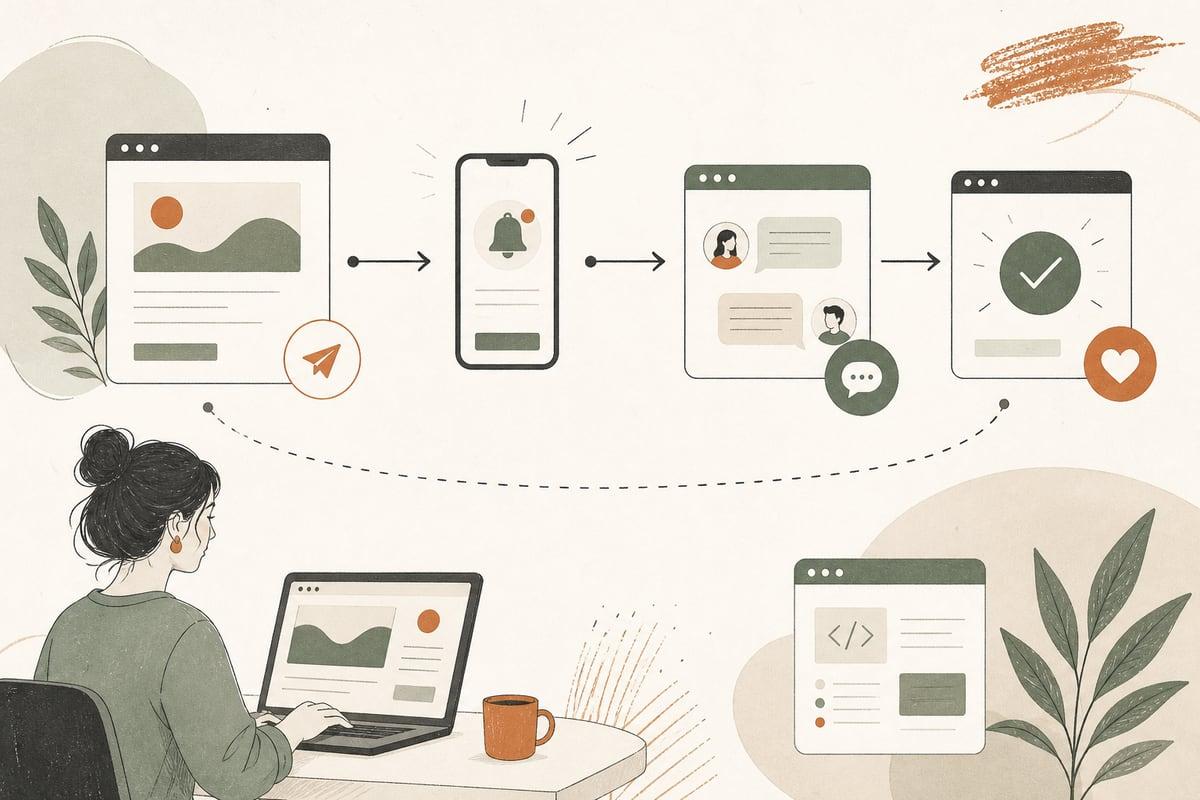
A typical AI-assisted estimate workflow might do this:
- detect when an estimate is sent from your CRM, form system, or quoting software
- wait a set amount of time
- send a polite follow-up by email or text
- answer common questions like timing, financing, service area, or next steps
- identify replies that show buying intent
- alert your team or create a task when human follow-up is needed
- stop reminders once the estimate is approved, declined, or expired
Done right, it feels less like automation and more like having a reliable assistant who never forgets to follow up.
Where this works best
This kind of AI workflow is especially useful for businesses with:
- longer sales cycles than a simple “call now” service
- estimates that buyers compare over a few days or weeks
- lots of repeated pre-sale questions
- staff who are strong at service delivery but weak on consistent follow-up
- multiple channels, like web leads, text, email, and phone
Good fits often include:
- home service companies
- contractors and remodelers
- med spas and elective clinics
- law firms with consultation-to-retainer steps
- B2B service providers
- nonprofits or schools with application or enrollment follow-up
What an effective workflow looks like
The best systems are simple, clear, and respectful. They do not spam people every day.
Here is a practical example:
Step 1: Trigger the workflow when the estimate is sent
The automation starts only after a real quote or proposal goes out.
That trigger can come from:
- your CRM
- a quoting platform
- your website form system
- a project management tool
- a manual status change in your pipeline
This is important because follow-up works best when tied to a real business event, not a vague lead list.
Step 2: Send a first check-in
Within a reasonable window, the system sends a short message like:
- just checking that you received your estimate
- happy to answer any questions
- if you’d like, we can walk through options or next steps
This first message is not the hard close. It is the friction remover.
Step 3: Let AI handle common questions
A prospect may reply with things like:
- what’s included?
- how soon can you start?
- do you offer financing?
- can I break this into phases?
- do you serve my area?
- what happens if I approve this now?
AI can answer these if you give it approved business rules, service details, and escalation instructions. That saves your team from repeating the same answers all day.
Step 4: Escalate high-intent replies fast
If someone says:
- I’m ready to move forward
- can we get on the schedule?
- I want to approve this
- can someone call me today?
that should create an immediate alert, task, or handoff.
This is where automation helps revenue most: not just sending reminders, but spotting buying signals quickly.
Step 5: Stop or change follow-up based on status
If the estimate is approved, the workflow should stop and switch to onboarding or scheduling. If it is declined, it should stop or move to a light future nurture. If it expires, it may send one last message.
That keeps the system helpful instead of annoying.
What to automate and what not to automate
This is where many businesses get it wrong.
Good things to automate
- estimate received confirmations
- first and second follow-up messages
- reminders before a quote expires
- answers to basic quote questions
- approval link delivery
- internal alerts for high-intent responses
- pipeline updates and task creation
Better handled by a human
- custom price negotiation
- sensitive objections
- legal or financial advice
- unusual project scope questions
- upset customers
- exceptions to your normal process
A good AI workflow should reduce repetitive work, not pretend every buyer situation is simple.
The biggest mistakes to avoid
If you are thinking about this for your business, avoid these common problems:
1. Automating bad follow-up
If your message is vague, pushy, or confusing, AI will just help you do that faster.
Write follow-ups that are clear and useful.
2. Using one script for every buyer
A roofing estimate, legal proposal, and medical treatment plan should not get the same follow-up tone.
Your workflow should reflect your sales process and your customers’ concerns.
3. Letting AI answer without guardrails
AI should not invent pricing, timelines, or policy details. It needs approved information and clear escalation rules.
4. Forgetting SMS and email permissions
Make sure your setup follows consent and communication rules for your business and region.
5. Not connecting it to your real systems
If the AI workflow does not know whether a quote was approved, expired, or manually updated, people get irrelevant follow-ups. That creates distrust.
A simple checklist before you build this
Before you implement AI estimate follow-up, make sure you have:
- a defined quote or proposal process
- a place where estimate status is tracked
- standard answers to common pre-approval questions
- clear handoff rules for sales or office staff
- approved messaging for email and text
- a way to stop automation when status changes
- reporting so you can see what is being sent and what gets replies
If those basics are missing, fix them first. AI works much better on top of a clean process.
How to tell if this would pay off for your business
You do not need a giant sales team to justify this. It is often worth considering if:
- your team sends estimates every week
- too many quotes sit without follow-up
- office staff spend too much time chasing routine responses
- buyers ask the same pre-approval questions repeatedly
- you lose momentum between estimate sent and decision made
- your close rate depends heavily on speed and consistency
The ROI usually comes from protecting opportunities you already paid to generate. In other words, this is often a better first move than spending more on ads while your sent estimates keep going cold.
What implementation should look like
For a small business, the best rollout is usually narrow at first.
Start with one service line, one quote type, or one follow-up sequence. Measure:
- how many estimates enter the workflow
- how many messages are delivered
- how many replies come back
- which replies need human help
- how many approvals happen after follow-up
- where buyers get stuck
Then improve the workflow instead of trying to automate everything on day one.
A well-built system can connect your website, CRM, forms, inboxes, text messaging, and quoting tools so the handoffs are cleaner and the customer experience feels more responsive.
The bottom line
If your business sends estimates and too many of them disappear into silence, AI follow-up is worth serious consideration. It can help you respond faster, stay consistent, answer routine questions, and move more ready buyers toward approval without adding more admin burden.
The key is to build it around your real sales process, with clear guardrails and easy human handoff when needed. That is what makes it useful instead of gimmicky.
Frequently asked questions
Can AI send estimate follow-ups by both text and email?
Yes, if your systems and permissions support it. Many businesses use email first and text for timely reminders or quick replies.
Will this replace my salesperson or office manager?
No. It works best as support for your team by handling repetitive follow-up and surfacing the best opportunities faster.
Can AI answer questions about pricing?
It can answer approved, rule-based pricing questions, but it should not invent discounts, negotiate custom scope, or guess.
What if a customer has a complex objection?
That should be escalated to a human. Good AI workflows know when to hand off instead of forcing automation too far.
Can Webmaster & More build this for our business?
Yes. We build custom AI workflows for small businesses, including website-connected automations, lead handling, quoting follow-up, and human handoff systems. If you want to explore what this could look like for your business, book a free consultation at https://webmasterandmore.com/consultation.
Free 2-minute assessment
Where could AI actually save your business time?
Answer a few questions about how you work today and get a personalized report on where AI and automation would pay off first — no email required to see it.
Take the free AI assessmentOr just take one tip a month
A short monthly email with one practical way to make your website work harder. No spam, unsubscribe anytime.