How to Stop Your Website Forms From Going Nowhere: A Practical Lead-Routing Setup for Small Businesses
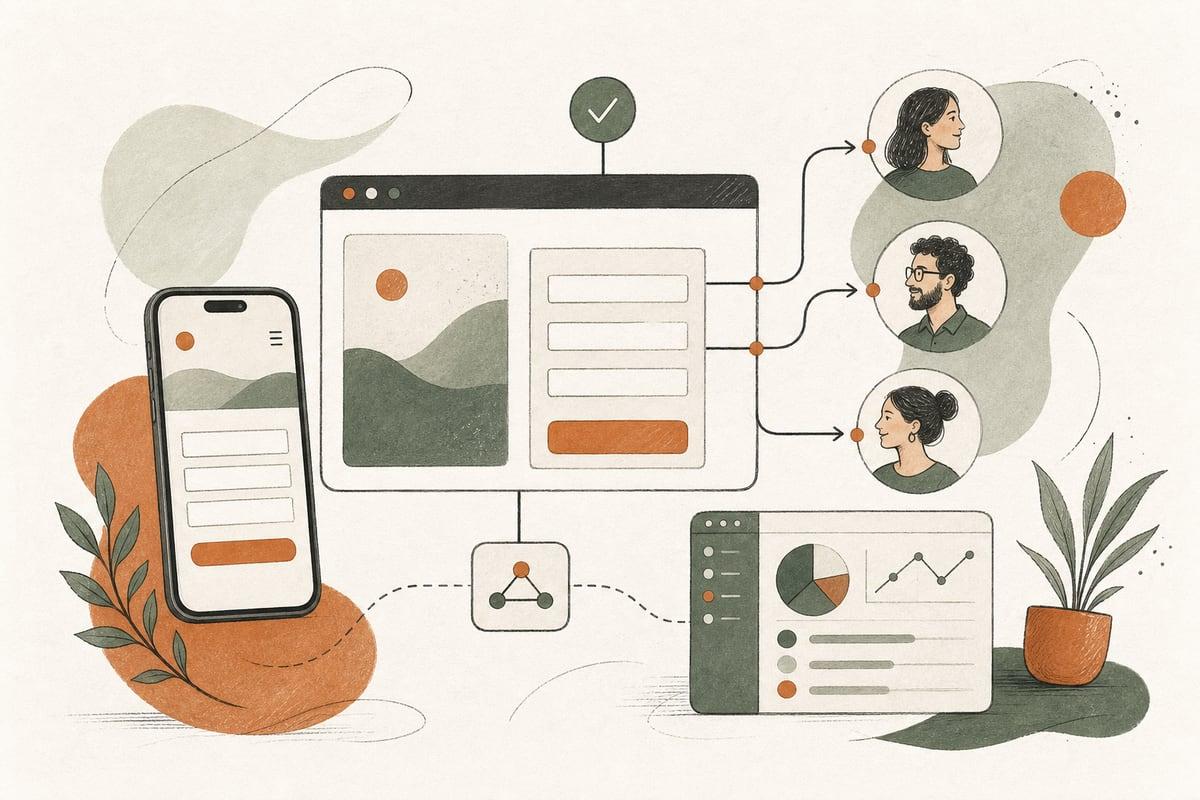
Your website form should not end with “someone will check the inbox later.” If leads are not routed to the right person quickly, you lose revenue even when your website is generating inquiries.
What lead routing means on a small-business website
Lead routing is the process of taking a form submission, call request, chat handoff, or booking inquiry and sending it to the right person, with the right context, fast enough to act.
For a small business, that usually means things like:
- sales inquiries go to the owner or intake team
- support requests go somewhere else
- job applications do not clutter the main sales inbox
- urgent leads trigger a text or call alert
- location-specific or service-specific inquiries go to the right staff member
Many businesses think they have a lead problem when they actually have a handoff problem.
Signs your website lead-routing setup is costing you customers
If any of these sound familiar, your routing likely needs work:
- all form submissions go to one general email address
- nobody is clearly responsible for checking new leads
- leads arrive without enough detail to respond properly
- spam fills the inbox and hides real inquiries
- service requests, sales leads, and support messages all use the same form
- staff members forward inquiries manually
- response times depend on who happens to see the email first
- after-hours leads sit untouched until the next business day
- you cannot tell which leads were answered and which were missed
This issue is common with contractors, law firms, clinics, nonprofits, and local service businesses where speed and clarity matter.
Why routing matters as much as design
A good-looking website helps create trust. But if a lead goes into a black hole, design alone does not produce ROI.
Better routing can improve results without a full redesign because it helps you:
- respond faster
- avoid missed inquiries
- reduce internal confusion
- assign leads by service, office, or urgency
- improve the customer experience from the first contact
- track whether your website is actually producing handled opportunities
In plain terms: more of the leads you already paid for can turn into real conversations.
The simplest lead-routing setup that works for most small businesses
You do not need enterprise software to fix this. Most small businesses can start with a simple workflow.
Step 1: Separate inquiry types
Do not force every visitor into one generic contact form.
Create distinct paths for the most common intents, such as:
- request a quote
- schedule a consultation
- existing customer support
- billing question
- careers or jobs
- general question
This alone reduces confusion and makes routing easier.
Step 2: Ask only the fields you actually need
Each form should collect enough information to route and respond well, but not so much that people abandon it.
Useful fields may include:
- name
- phone
- service needed
- location or ZIP code
- preferred contact method
- preferred time to reach them
- short description of the problem
- urgency level, if relevant
For example, a plumbing company may need service type and ZIP code. A law firm may need practice area. A clinic may need appointment type and callback preference.
Step 3: Send leads to a real owner, not just an inbox
Every inquiry type should have a named person or role accountable for follow-up.
Examples:
- quote requests go to the estimator
- personal injury inquiries go to legal intake
- website support requests go to operations
- donation partnership inquiries go to the nonprofit director
A general inbox can be copied, but it should not be the only destination.
Step 4: Add instant alerts for important leads
Email alone is often too passive.
For high-value or time-sensitive inquiries, add:
- SMS alerts
- Slack or Microsoft Teams notifications
- CRM task creation
- call reminders
- after-hours AI receptionist handoff
This is especially helpful if you get leads in the evenings, on weekends, or while your team is in the field.
Step 5: Define a response-time standard
Routing only works if action follows.
Set simple internal standards such as:
- hot leads: respond within 5 to 15 minutes when possible
- normal quote requests: same business day
- support issues: within 1 business day
- after-hours inquiries: first thing next morning, or sooner with automation
The exact timing depends on your business, but a clear standard beats vague intentions.
When automation makes sense
Once the basics are in place, automation can make your process more consistent.
Useful automations include:
- sending an instant confirmation email or text to the lead
- creating a contact in your CRM automatically
- tagging leads by service type or location
- assigning leads to the right team member based on form answers
- sending reminders if a lead has not been contacted
- triggering an AI chatbot or AI receptionist to collect missing details
- pushing booked consultations directly into your calendar system
The benefit is not “using AI because it sounds modern.” The benefit is fewer dropped balls.
Common lead-routing mistakes to avoid
Some fixes create new problems if they are not thought through.
One form for everything
This feels simple on the back end but creates messy intake. Different visitor intents need different paths.
Too many required fields
If your form feels like paperwork, fewer people will complete it. Keep it focused.
No backup assignee
What happens when the owner is in court, on a job site, or on vacation? Important leads need a second destination or fallback rule.
No spam protection
A form that delivers junk all day trains your team to ignore notifications. Use proper anti-spam tools and monitoring.
No tracking after submission
If you cannot tell whether a lead was answered, you cannot improve the system. Even a simple CRM or shared tracking sheet is better than guesswork.
Mixing marketing with operations
If every website inquiry goes into the same place as newsletters, vendor messages, and internal notifications, real leads get buried.
A practical routing checklist for your website
Use this quick audit to evaluate your current setup.
- Do you have separate forms or clear paths for different inquiry types?
- Does each form ask the minimum useful information?
- Does every lead type have a primary owner?
- Is there a backup person or fallback route?
- Are urgent leads triggering faster alerts than email alone?
- Do leads enter a CRM, pipeline, or tracking system?
- Do visitors get an immediate confirmation after submitting?
- Do you filter spam effectively?
- Can you measure response times?
- Can you tell how many inquiries became calls, appointments, or clients?
If you answered “no” to several of these, you may not need more traffic yet. You may need a better system for handling the traffic you already have.
WordPress, forms, and integrations: what is realistic
If your site runs on WordPress, this is usually very fixable without rebuilding the whole website.
A solid setup can involve:
- a better form structure
- cleaner notification logic
- CRM integration
- calendar or booking integration
- spam protection improvements
- mobile-friendly form design
- text alerts for priority leads
- AI-assisted intake for after-hours coverage
If your site is custom or headless, the same principles still apply. The tools differ, but the business goal is the same: right lead, right person, right away.
How to decide what to fix first
Start with the part of the process most likely to lose actual customers.
In many businesses, that is one of these:
- no clear ownership of inbound leads
- no fast alert for high-intent inquiries
- no separation between sales and non-sales messages
- no follow-up tracking
- no after-hours handling
Fixing one of these can produce more value than adding another page to your site or spending more on ads.
The bottom line
A website inquiry is only valuable if it reaches the right person and gets a timely response. If your forms are dumping leads into a general inbox, your website may be underperforming for operational reasons, not marketing reasons.
Lead routing is not glamorous, but it is one of the most practical ways to get more customers from the website you already have.
Frequently asked questions
Do I need a CRM to improve lead routing?
No. A CRM helps, but you can still improve routing with better forms, clearer ownership, and smart notifications.
What if I only have a very small team?
That is exactly when routing matters. Small teams need clear rules so leads do not depend on memory or chance.
Can AI help with lead routing?
Yes. AI can help collect intake details, answer common questions, handle after-hours conversations, and route inquiries based on intent. It works best when built on a clear process.
Should every lead trigger a text alert?
Usually no. Reserve text alerts for the most valuable or urgent inquiry types so your team does not start ignoring them.
Can this be fixed without a full redesign?
Often yes. Many lead-routing problems can be improved through forms, integrations, notifications, and workflow changes without rebuilding the entire site.
If you want help reviewing your website forms, lead flow, or AI follow-up options, book a free consultation: https://webmasterandmore.com/consultation
Free 60-second checkup
How healthy is your own website?
Paste your address, get an instant health check — speed, mobile experience, Google visibility, trust, and security. No email required.
Check my website freeOr just take one tip a month
A short monthly email with one practical way to make your website work harder. No spam, unsubscribe anytime.